Cloud Archives - Page 2 of 3 - DNA IT Solutions

Tag Archives: Cloud

Say Yes to the Cloud

Say yes to the cloud DNA IT

Not moved to the cloud yet?

It might seem that everybody else has moved on and you may be feeling a little left behind.  However, it’s never too late to consider a move and if you are looking at growth in the near future then it is something that really needs to be on your agenda.

At DNA IT Solutions, we have been working with businesses all over Ireland for many years helping them migrate to the cloud.  It has changed from a situation where it was something we had to push a company to do, to a new world where the customer is ready to make that move even before we meet them.

Why the Interest in Cloud?

There are many advantages in moving to the cloud including both flexibility and scalability. There can be significant cost savings if you choose the right option for your business. That is why it is critical to make the right decision at the start of your journey to the cloud.

Here are some of the benefits of Cloud Storage

COST EFFECTIVE – You only pay for what you use and there are no more server upgrades, server maintenance or deprecation.  Fixed monthly fees making managing costs easier.  No more fears over building security or environment suitability for servers on premises.

RELIABLE – The data centres involved are maintained by the finest back-up solutions and redundancy systems.  They are staffed by expert teams that keep everything up to date, reducing downtime for your business.

SECURE – Data stored in the cloud is given the highest priority to its security, with top class encryption options available for sensitive data.   Storing your information off site is also a sound decision when it comes to disaster recovery planning.

FLEXIBLE – Cloud means huge resources to hand whenever and for whatever you want to use it for.  Not only storage but applications so that a solution can be configured to meet your specific needs.

SCALABLE – When more storage space is needed you can increase the allowance with little effort.   Scale up and down as your business demands.  No need to buy more expensive hardware or reconfigure hard drives.  With cloud there are no limits.

Cloud is everywhere in business today, particularly for today’s modern mobile workforce.   Using cloud means allowing access to documents to them while on the road or working remotely.  With the correct security layers, data can be accessed as if you were in the office from anywhere without concern.

If you think your business is ready for a move to the cloud give us a call to discuss your options.

Cloud for Business

cloud for business DNA IT Solutions

Why is it that so many Irish businesses are moving to the cloud?

It’s not just the large companies but smaller independent business with less than ten employees.  In the past these organisations would have run their programs from software they had downloaded on a PC or a server in their office.  Now cloud computing allows all this to be done via the internet.

Not sure what cloud computing means?

When you check your bank balance on your smartphone, when you check that weather app or when you comment on your friends Facebook post – that is all cloud computing.  It is using the power of the cloud to interact with platforms and programs.  Now with Microsoft 365 you no longer purchase CDs and download onto a PC.  It’s cloud computing at its best, providing automatic updates and access when and how you need it.

When you access the cloud here is what you get:

On demand – You get access to the resource right there when you need it.  No waiting around and you are only paying for what you use when you use it.  It’s a new mind-set to think that you are no longer paying for it whether or not you use it.   This cost effectiveness is the main driver for businesses to move to a cloud solution.

Resource Pooling – Once the domain of only multinationals, now an small business can access a huge pool of resources based on their user needs.  The resource is automatically assigned and with secure sharing there is little to be concerned about.

Rapid Elasticity – The space with cloud is limitless so resources can grow as you need them.  When you need them you can scale up or down in a quick time, not like before.  If it is more storage space or more power that you need, all can be spun up or down as required.

Broad Network access – It’s all there waiting for you when you are ready to access it.  With few barriers relating to adoption and no reason to avoid it, it makes sense.

When you are ready to consider cloud computing and cloud storage you should consider all the options available.  Talk to our expert team, we migrate businesses like yours to the cloud every day of the week.  Make your journey to the cloud a great one with DNA IT Solutions.

Cloud Computing for the SME

Cloud computing for SME DNA IT

Many businesses today began at the kitchen table as a start-up then grew to having its first employee.  Before long these small enterprises were looking at office space and within a couple of years had grown to a team with a great future ahead.

No matter what stage your business is at we are pretty sure that you rely on IT each and every day to help you run your business.  As your business grows so does your reliance on IT and what you expect from it.

How can Cloud be a benefit?

Traditionally your IT infrastructure would be housed within your own premises, however, as you develop your IT needs become more complex.  You may decide you want to free yourself from the traditional IT that is holding you back and make the move to Cloud services.

What is cloud computing?

Cloud computing is using the internet to enable on demand network access to computing resources such as storage, applications, networks and more.  Smaller businesses might have a server room that serves a purpose for several years. However, when businesses start to grow they also outgrow this form of on-premises reliance and start to consider a move to the cloud.

Types of Cloud

Every business is unique and their needs will differ and that is why there are several options to consider.

Public Cloud – This is a cloud infrastructure made available to the public.  Microsoft Azure is an example of a cloud provider popular with Irish businesses.  Trust and reliability comes with the Microsoft name and an understanding of the flexibility and scalability that businesses need is assured.  Secure and reliable, this is quite often the perfect choice for the SME.

Private Cloud – While the public cloud may be the perfect fit for most customers, sometimes dedicated storage space is needed and that is when private cloud becomes an option.  IBM Cloud is enterprise level dedicated private cloud for situations where needs are more complex.

Hybrid Cloud – As in many industries, sometimes a one size fits all is not the answer and that is where hybrid cloud comes in.  Depending on customer needs a solution which is a mix of on premise and cloud is the best option.  Every combination will be different but a bespoke solution can always be found.

The move to the cloud can seem daunting for most business owners but it’s only fear of the unknown.  Once you have an IT partner you can trust, they will advise and guide you to pick the right solution for your business.  At DNA IT Solutions we help businesses like yours transition to the cloud every day of the week.  With a promise of less hassle and as little downtime as possible we can help move your business to the cloud.  Leaving you to concentrate on developing your business for the future.

How to Choose a Cloud Provider

How to choose a cloud provider DNA IT

You have made the decision to swap your old server for a move to the cloud and embrace the modern world of cloud computing. You have an idea of the benefits but where should you start?

You need to understand the features of your cloud provider, and make sure that it is suited to your business needs keeping in mind reliability, storage limits, privacy and security.

Finances

One of the top reasons to move to the cloud is for financial reasons as it is normally more cost effective.  You need to pick a provider that is established and secure in their own finances to make sure they won’t let you down in the long term. Look at their track record, especially how they have operated over a long time.  A provider such as Microsoft Azure would be a perfect example of a company you could have confidence in.

Risk

The cloud provider should have a formal management structure in place with strong risk management policies and procedures. There should be a clear train of responsibility in order to provide you with the great and consistent service that your business needs. Find out about their risk management and how they would manage a drama or a slip-up if one occurs in the future so you know what to expect if something happens.

Reporting

A managed IT service provider can be your way of knowing your data is secure. They will be the ones managing your cloud storage and should be able to give you regular reports on your performance, along with modern monitoring of the resource to make sure your cloud is working well for you.  Additionally, they should be able to provide an SLA, a set amount of time they have to get back to you on any queries or problems that you may encounter.

Technical processes

How easy will the transition be? Can you link it with your existing systems to make the cloud transition simple and easy? These are all things to think about, along with what the interface will look like and how you can use it, how you add events and manage them, along with how you can adapt it to your needs as these change over time.

You need to be aware of hybrid capabilities, as even if you don’t need this right away, you may want to upgrade in the future so you need to know your provider can get that for you.  This will all be part of the planning and exploration stage with your managed IT provider.

Security

There should be policies for tested and tried security measures for your cloud platform. These should be visible to everyone and should in no way be compromised – it is your company’s data and that is why it is most important.

Along with a data backup there should be physical security evident too, from access to hardware and safeguards around the software to protect your equipment and your data from any events that may affect this. Ensure you have a disaster recovery plan along with a business continuity plan, so that even if something does happen, you can rest assured in the knowledge that your company is safe.

When you have made a decision to move to the cloud make sure you are well informed.  A conversation with DNA IT Solutions could save you time, hassle and money in the long run.  Contact our team today to see what we can do for you.

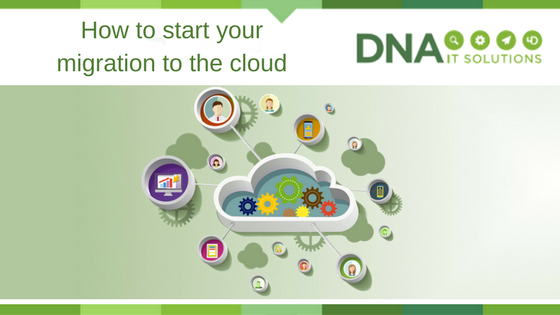
How to start your migration to the cloud

Start Cloud migration DNA IT

Once the decision has been made to move to the cloud a business will be anxious to get started on the project.

The first steps can sometimes seem the most difficult but once you have a plan in place and somebody to walk with you along the journey, it seems less daunting.

Make a list

It might sound obvious but it is always a good idea to take a look at the applications you already use.  Once you have this list you can put them in various categories and in order of critical importance.   Some of the categories could center around risk, general operations or security.

Cloud Provider

Microsoft Azure are world class providers of cloud computing options and they give some advice when it comes to approaching applications and categorising them.

They suggest two different assessments:  A top down approach which focuses on where applications should go to best serve the business.  Then a bottom-up approach which is concerned more with the technical feasibility of where an application could go and still function.

The Top-Down Assessment

The top-down approach starts with an evaluation of the various technical and security aspects of each application:

  • Categorisation of data, compliance, sovereignty and security risk requirements
  • Current complexity of interface, authentication, data structure, latency requirements, coupling and application life expectancy of the application architecture
  • Operational requirements like SLAs, integration, maintenance windows, monitoring and insight

Once analysed, all of these aspects generate an overall score that reflects the difficulty of moving that application to the cloud. The top-down assessment also involves evaluating the application’s financial benefits:

  • Operational efficiencies, TCO, return on investment (or similar measurements)
  • Overall computer load, seasonal fluctuations in usage levels, types of users (casual vs. expert, always online vs. only occasionally), necessary levels of scalability or elasticity
  • Business continuity and resiliency requirements, any dependencies in the event of a service disruption

Together, the outcomes from each of these two appraisals generate an overall score that reflects the difficulty of migrating the application against the financial payoff of migrating it. With the top-down method you can more easily identify which applications have the highest degree of value and success from migration, and prioritize these applications as you begin to map out the migration process.

The Bottom-Up Assessment

Simultaneous to the top-down assessment, a bottom-up assessment can also be performed. And because this is more about the technical requirements and where an application could go, much of the information can be pulled from the Configuration Management Data Base. Requirements typically addressed with a bottom-up approach include:

  • Memory, number of processors, operating system disk space, data disks
  • Network interface cards
  • IPv6
  • Network load balancing
  • Clustering
  • OS/ DB version
  • Domains supporting
  • Third-party components/ software packages

Once both these assessments are completed it will create a list that can be used to prioritise the work.  Normally the team will start with the least complex and move along to the more difficult aspects.

For more guidance on developing a migration plan, details about Microsoft’s own migration and how to get the most out of the cloud, check out the Enterprise Cloud Strategy ebook.


DNA IT Solutions work with Microsoft Azure to help clients with their migration to the cloud.  Our aim is to make the journey as straightforward as possible.  Our expert team are ready to take your call to discuss your needs.

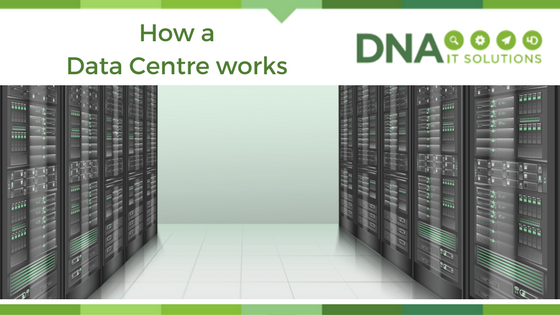
How a data centre works

How a data centre works DNA IT

A data centre is a centralised location where computer and networking equipment is stored for the purposes of collecting, processing and storing data. Organisations dealing with sensitive data will use such centres for security purposes, ensuring that a backup of all data is securely stored.

Why are data centres necessary?

The loss of data can result in the loss of revenues and consumer confidence and, in many instances, it can constitute a breach of the law. As companies of all sizes become increasingly data reliant and data hungry, the demand for storage space and processing power often outstrips the ability of said companies – particularly those classed as small-medium enterprises – to deliver on obligations to protect, back up and process data.

While it’s easy to dismiss the data centre as an additional security feature, it’s a fact that secure and rapid access to data is critical for all enterprises. Interruptions to the flow of data can bring a business to its knees if there is no effective backup strategy in place.

Picture the scenario without a sufficient backup solution in place: a system failure means that the office server goes down. CRM system databases are inaccessible. Accounts packages can’t be used to process payments. And, worst of all? All of your data is gone – that’s notes about previous and prospective customers and clients, their names and addresses, transaction histories and more.

The data centre solution

Many of us conceptualise data centres as staid rooms full of server racks humming and blinking away, but the truth is that they come in all manner of sizes, shapes and configurations. Many cloud providers offer secure private data centres to business customers and there are many positive reasons to opt for cloud-based backups.

Firstly, cloud-based solutions are based off-site. This provides additional security in the event of damage to a building (for example, flooding or fire) and in the event of hardware theft. Furthermore, cloud-based data centres can be remotely accessed, providing users with connectivity, even when on the move.

If your business is lacking a tried and tested data centre solution, why not consider contacting DNA IT Solutions? Our experienced team can talk you through secure, business-oriented data centre solutions suitable for enterprises of all sizes, across all industries.

Microsoft Azure Security Overview

Microsoft Azure Security overview DNA IT

With more emphasis on cyber security than ever, a question that we are often asked is how safe are the products and services that we offer.

Of course, we only offer world class, industry leading options to our clients that we are confident in.  So when it comes to Microsoft Azure we have full confidence in this as an option for clients, but don’t just take our word for it.  Here is some back up information from Microsoft themselves.

Vast Experience

Leveraging its decades-long experience building enterprise software and running some of the world’s largest online services, Microsoft has created a robust set of security technologies and practices. With over $1 billion invested annually in security, these innovations help ensure that Azure infrastructure is resilient to attacks, safeguards user access to the Azure environment, and helps keep customer data secure through encrypted communications as well as threat management and mitigation practices, including regular penetration testing.

Digital security landscape

The current digital security landscape for businesses can be described in one word: complicated. More numerous and advanced threats, more nebulous compliance requirements, more difficult and intricate infrastructure to secure.  Add in the mass proliferation of data, BYOD culture, and remote access and workforces, what you’re left with is a complex security puzzle lacking a clear solution.

While there isn’t an end-to-end security solution that covers all threats, Azure does have a robust set of native security tools; in addition to the many third party security tools that integrate seamlessly with Azure.

Security Centre: A holistic solution that provides increased visibility and tighter control of Azure workloads—making it easier to prevent, detect, and respond to threats in the cloud.

Azure seamlessly integrate with preferred third party security solutions.  Proven to rapidly and effectively detect and respond to threats with Microsoft’s global intelligence and expertise.

Log Analytics: An Azure service that helps gather and examine your cloud and on-premises data regardless of physical location which can reveal valuable insights through custom dashboards and visualizations.

Log Analytics works through a combination of data security methodologies, including: data segregation, data retention, physical security, incident management, compliance, and security standards certifications.

Key Vault: Enhance data protection, help ensure compliance, and manage and protect cryptographic keys, passwords, and other secrets that are used by cloud apps and services—all with one robust solution.

Key Vault is purposefully designed to ensure that only you have access to cryptographic keys and secrets used by your cloud apps and services.  Microsoft does not see or extract your keys.

Active Directory: An identity and access management cloud solution that provides a robust set of capabilities to manage users and groups. It helps secure access to on-premises and cloud applications, including Microsoft online services like Office 365 and many non-Microsoft SaaS applications.

Multi-Factor Authentication: An Azure service that heightens a customer’s overall security posture, protects data and applications, and doesn’t complicate sign-on procedures.

Azure Security Centre’s threat intelligence automatically collects, analyses, and compiles data from your Azure instances, your network, and any third party security solutions. A security alert is then created if a threat is detected—such as VMs communicating with malicious IP addresses, advanced malware detection, force attacks against VMs, and security alerts from integrated solutions.

Microsoft Azure is an option that many businesses around the world depend on.  Suitable for small, medium or enterprise size organisations and with great flexibility and scalability it could be the option for you.

For more information on Microsoft Azure and the benefits it could bring to your business you can  join Our FREE Webinar  or contact one of our team.

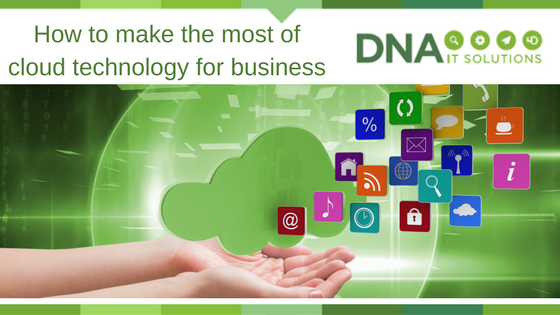
How to make the most of cloud technology for your business

Cloud Technology for business DNA IT

Cloud technology is not the future, it is the present.

This, a once intimidating and confusing technology, is now the norm and is something we use every day, often without realising it. This all begs the question; how can I find a way to make cloud computing help my business?
Cloud computing is the storing of files (of any sort) on the internet, rather than saving them locally on your hard drive. The benefits of this are numerous and can be utilised to make real improvements in how your business operates.

Cloud technology can make your business:

More secure – By storing files in the cloud, you will be making an important step in protecting the most valuable aspects of your business from the physical failure of your personal machines. For example, if you were to suffer an office fire or flood that destroyed your computer system, all of your data would be safe and retrievable from another device because it is not stored physically in your office but in a cloud system that stores a backup off-site.

More collaborative – Public cloud services allow multiple people to collaborate on the same document simultaneously, meaning that the days of emailing documents and presentations around the office for improvements and changes are gone, speeding up the process of collaboration and ensuring everyone always has the most up-to-date version of the document. This will make your business more time effective, less prone to human error, and will improve how well your team members are able to collaborate with one another.

More flexible and scaleable – Adding extra team members, sites, and storage options to cloud solutions is a painless and instant process, meaning that you can keep up with your thriving business and scale your IT network to suit in a quick, and cost-effective manner.

Does this sound like something your business could benefit from? DNA IT Solutions is a market leader in the provision of, and transition to, cloud solutions for businesses of any size. Contact us today and we will create a bespoke package that suits your business needs.

Cloud Security with Sophos & Microsoft Azure

cloud security DNA IT

With more and more businesses moving applications and workloads to the cloud there can be some confusion about securing them adequately. DNA IT Solutions work with both Microsoft Azure cloud and Sophos security solutions to help provide the optimum solution for organisations.

Security in the Public Cloud

Microsoft Azure is public cloud and Microsoft works hard to protect the cloud infrastructure. They regularly monitor network traffic and will respond to security issues so you can have confidence in selecting this option. Azure manages security of the cloud but the security of your information in the cloud is up to you.

This is where Sophos can help.

Sophos provide solutions to help you properly secure your cloud environment. Sophos XG Firewall is available in the Microsoft Azure Marketplace. You can deploy XG Firewall on Azure to help provide the protection your data needs as it moves through Azure. Sophos XG Firewall gives you additional layers of security from the Azure Virtual Network through the application layer in a single modular solution. XG Firewall is available as a pre-configured, virtual machine in the Azure Marketplace. You can select XG Firewall, apply Azure Resource Manager templates, and easily deploy to your environment.

Defending Against Hacks and Attacks

Cybercrime is on the rise, Sophos and Microsoft Azure provide services that can help you meet your security, privacy and compliance requirements. The important thing to remember is that when you run your applications and workloads in the cloud you are also responsible for ensuring protection for those applications and workloads.
As with any infrastructure, whether on-premise or in the cloud, security should be a core functional requirement. Security policies and controls must be implemented to protect mission-critical information from accidental or deliberate theft, leakage, integrity compromise, and deletion.

Here are some questions to consider as a starting point:

• How is your data routed, and what kind of protection do you have for that routing?
• How is performance affected by implementing a security solution?
• Where does your data reside? Is it encypted? Who has access to it?
• What type of protection do you need? Web-layer, network-layer, both? More?
• Do you have protection in place for known threats? What about threat protection to identify and block unknown (zero-day) threats?
• Do you understand how your users behave in your cloud infrastructure? How do you identify and separate out risky users?
• What type of policy and rules are you using? Is there overlap or ineffective rules? How do you identify more effective ways to manage your security?
• Sophos has a network of partners capable of helping you think through security concerns in order to develop and implement controls and protections that are right for Sophos XG Firewall

Sophos XG Firewall on Azure combines mutiple security tools into one solution and is designed to prevent sophisticated attacks and advanced threats in the cloud while providing secure remote access to the Azure cloud for trusted users.

Sophos XG Firewall complements the infrastructure protection provided by Azure with many advanced management features and deployment capabilities including:

• Global deployment options, with the ability to establish separate XG Firewall instances in multiple countries.
• Sophos Firewall Manager software, which provides fast setup and a single console for the complete central management of the firewall.
• Built-in reports that tell you what’s happening with your users and your network.
• User Threat Quotient reports that show you which of your users are putting your Azure-based systems at risk.
• Pre-defined policy templates that let you quickly protect applications like Microsoft Exchange or SharePoint.
• Patented Layer-8 identity control, which enables user-level controls over applications, bandwidth and other network resources regardless of IP address, location, network or device.

Conclusion

Sophos XG Firewall is a “next-generation” firewall you can select and launch from within the Microsoft Azure Marketplace. XG Firewall deploys as an all-in-one solution that combines advanced networking, protections such as Intrusion Prevention (IPS) and Web Application Firewalling (WAF), as well as user and application controls. XG Firewall is designed to help you protect your Azure-based workloads against advanced threats.

For more information on this you can check out the Sophos website or speak with one of our experts that will explain how Sophos and Microsoft Azure may be the option for your business.

Different types of cloud services

Types of cloud services DNA IT

The many benefits of cloud computing have been discussed in depth and are rarely disputed.

With a lower cost, more flexibility, productivity and layers of security it is the obvious choice for most businesses.  However, there are several types of cloud services and knowing what is available can help you make better decisions on what you need.

The cloud computing stack

The national institute of standards and technology defines cloud computing as a model which enables useful, on-demand network access to a shared configurable resources (networks, storage, servers, services, and applications) which can be quickly implemented and released with minimum effort.  Here we look at the main elements of the cloud computing, often called ‘stack’ as they often build on top of each other to form solutions.

Cloud stack DNA IT

Software as a service (SaaS)

This is the term for software applications that are hosted in the cloud and make available to users over the internet. Usually they are on demand and come with a subscription cost.  Microsoft Office 365 is a perfect example but there are many others.  Cloud providers host and manage the software application which means that they look after upgrades and security issues.

When it comes to cloud we also need to evaluate the different options available be it public, private or hybrid.   Not all options are the same and making the correct decision for a business without advice can be difficult.

Platform as a service (PaaS)

This is a suite of services that are offered to make coding, developing, testing and deploying of applications easier in the cloud.  It is designed to make this process easier and quicker to create without having the concerns around managing infrastructures such as storage, databases or servers.

Infrastructure as a service (IaaS)

This is the one we may be more familiar with and the main foundations of the cloud.  It is the software and hardware used to create the cloud offering that an organisation will rent.  It will be the servers, storage, operating systems, virtual machines that the cloud provider puts in place so you can avail of cloud on a pay as you go basis.

Public cloud

Public cloud would be the most common option as it has all the benefits and is easily accessible by any business.  Microsoft Azure is an example of a public cloud.  They own and manage the computing resource and offer storage over the internet on a pay as you go basis.

Private cloud

Sometimes an organisation will require dedicated storage space, particularly when it comes to enterprise organisations.  IBM Bluemix offer such a service and will assign a particular area of the network exclusively for their use.

Hybrid cloud

Hybrid Cloud is a mix of cloud and onsite infrastructure.  For a variety of reasons this solution can be the best option when it comes to greater flexibility and deployment within the business.

Whatever options you decide are right for you ensure you are well informed.  A conversation with a cloud expert can reap rewards for the future and the team at DNA IT Solutions are available to take a look at your business and advise you accordingly.