January 2018 - DNA IT Solutions

Monthly Archives: January 2018

How to Choose a Cloud Provider

How to choose a cloud provider DNA IT

You have made the decision to swap your old server for a move to the cloud and embrace the modern world of cloud computing. You have an idea of the benefits but where should you start?

You need to understand the features of your cloud provider, and make sure that it is suited to your business needs keeping in mind reliability, storage limits, privacy and security.

Finances

One of the top reasons to move to the cloud is for financial reasons as it is normally more cost effective.  You need to pick a provider that is established and secure in their own finances to make sure they won’t let you down in the long term. Look at their track record, especially how they have operated over a long time.  A provider such as Microsoft Azure would be a perfect example of a company you could have confidence in.

Risk

The cloud provider should have a formal management structure in place with strong risk management policies and procedures. There should be a clear train of responsibility in order to provide you with the great and consistent service that your business needs. Find out about their risk management and how they would manage a drama or a slip-up if one occurs in the future so you know what to expect if something happens.

Reporting

A managed IT service provider can be your way of knowing your data is secure. They will be the ones managing your cloud storage and should be able to give you regular reports on your performance, along with modern monitoring of the resource to make sure your cloud is working well for you.  Additionally, they should be able to provide an SLA, a set amount of time they have to get back to you on any queries or problems that you may encounter.
Technical processes

How easy will the transition be? Can you link it with your existing systems to make the cloud transition simple and easy? These are all things to think about, along with what the interface will look like and how you can use it, how you add events and manage them, along with how you can adapt it to your needs as these change over time.

You need to be aware of hybrid capabilities, as even if you don’t need this right away, you may want to upgrade in the future so you need to know your provider can get that for you.  This will all be part of the planning and exploration stage with your managed IT provider.

Security

There should be policies for tested and tried security measures for your cloud platform. These should be visible to everyone and should in no way be compromised – it is your company’s data and that is why it is most important.

Along with a data backup there should be physical security evident too, from access to hardware and safeguards around the software to protect your equipment and your data from any events that may affect this. Ensure you have a disaster recovery plan along with a business continuity plan, so that even if something does happen, you can rest assured in the knowledge that your company is safe.

When you have made a decision to move to the cloud make sure you are well informed.  A conversation with DNA IT Solutions could save you time, hassle and money in the long run.  Contact our team today to see what we can do for you.

Securing Your Mobile Workforce

Securing mobile work force DNA IT

In the modern enterprise era every business is now mobile.

We are all staying connected to work with mobile phones, tablets and laptops.  Employees are also using personal devices to access corporate data and this can put their organisation at risk when passwords or devices are lost.

Cyber criminals know this is happening and they are trying to benefit from these trends by introducing more sophisticated ways to use mobile malware to cause as much damage as possible.

These threats need to be managed while at the same time allowing users to benefit from this new mobile technology that makes the working day easier.  Sophos looked at how a business can provide flexibility but also protect its networks and corporate data.  Here they share their 3 key steps to successfully secure your mobile workforce:

Three Steps to Managing Today’s Mobile Risk

The task of Enterprise Mobile security really boils down to three basic needs: Protecting the user and device; protecting the access to enterprise’s network; and protecting an enterprise’s data.  And of course, most importantly, we need an easy to use solution that lets us accomplish our goals with available resources.

Step 1 – Protect users and devices

As we have seen, today’s mobile user depends on their smartphone for organising both their work and personal life. The division between work and personal identity is blurry.  Therefore, organisations must step up and fill gaps where users and their constantly on, constantly on the move and ever more powerful devices leave the organisation vulnerable. Protecting users and devices means:

  • Implementing good password policy.
  • Ensuring that users take advantage of native lost device and wipe device features.
  • Providing Self Help tools for users to reset their own passwords and reduce the burden on IT.
  • Assuring that effective and current anti-malware software is installed and active on all devices (especially Android). Protecting users and their devices is the first key step to securing our mobile workforce.


Step 2 – Protect the Enterprise Network

Mobility and mobile devices go hand in hand with Wi-Fi access to both corporate and public networks. Managing these connections and the data that flows over them is critical to managing mobile security risk. This requires good network AND device security is in place. Protecting the network requires.

  • Establishing and enforce Wi-Fi network access policy.
  • Restricting access to the network to compliant users and devices.
  • Restricting unwanted or risky applications from accessing the network.
  • Securing access to frequently used and approved mobile applications and websites through the use of a corporate browser solution.
  • Protecting the network provides a second layer of defense in our 3-step strategy.

Step 3 – Protect Corporate Data

Once we have protected our devices and networks, the next step is to protect critical corporate data.  Data moving to and from mobile devices, as well as data on the devices themselves, creates risk that must be managed.  A lot of valuable data passes through our mobile devices when we engage in email and other collaboration services such as file sharing and discussions.  Many users also move confidential files to public file sharing sites like Box and Dropbox.

To protect business data we must:

  • Ensure that email, file sharing and other collaboration and information exchanges take place in secure application “containers” and workspaces.
  • Protect applications that support key business processes like order management, customer support, finance, sales and marketing, and product development.
  • Enable encryption of important files when they are accessed and shared on cloud storage services like Box, Dropbox and Google Drive. Protecting our data is the 3rd key step in our approach.

Sophos Mobile

Sophos Mobile is the EMM solution for businesses that want to spend less time and effort to manage and secure mobile devices. Manage mobile devices with the easy-to-use, web-based, unified Sophos Central admin interface alongside endpoint, network, or server security from Sophos. With its best-in-class data protection, comprehensive security, value-for-money, and flexible management options, Sophos Mobile is the best way to allow the use of mobile devices for work, keeping users productive, business data safe and personal data private.

For more information about incorporating Sophos Mobile into your security solution contact the DNA IT Solutions team.   We work with Sophos tools to help keep our clients protected.

What is Microsoft Dynamics and how can it enable your business to grow?

Microsoft Dynamics DNA IT

Microsoft Dynamics 365 is a cloud powered service.

It combines both CRM (customer relationship management) and ERP (enterprise response planning). It also comes with many new features added on to help run your business end to end in the cloud.

Microsoft Dynamics 365 is the next generation of intelligent business applications that enable your organisation to grow, evolve and transform. These applications unify CRM and ERP capabilities with purpose-built applications that work seamlessly together to help manage specific business functions and allow your organisation to transform to meet customer needs and capture new opportunities.

Microsoft Dynamics 365 for Sales empowers sellers with the insight, guidance and tools to drive personal engagement with their customers.

Dynamics and DNA IT Solutions

Here are some of the Key Benefits:

GROW BUSINESS: Leverage intelligent insights and business processes to increase revenue while reducing acquisition cost.
STAY FOCUSED: Reduce distractions and know where to prioritise in a fast-paced sales environment.
WIN FASTER: Close deals faster and increase revenue through sales collaboration and productivity
ACTIONABLE INSIGHTS: Derive meaningful intelligence from massive amounts of complex data by delivering simple to understand and act upon insights. Insights are in context of your customer relationship so that it’s easy to focus on the right priorities and drive personal engagement.
PERSONAL ENGAGEMENT: Great customer engagement allows your customers to engage with you on their terms while empowering your sellers with customer behaviour, trends and potential value to build and develop customer relationships
CUSTOMER MANAGEMENT: Automate your sales processes to shorten the sales cycle, boost productivity, and reduce costs. Microsoft Dynamics 365 for Sales features a highly intuitive interface with Microsoft Office 365—embedded capabilities.


Better Together

Field Service: Identify and create opportunities in the field for sales teams.
Project Service Automation: Help sales and delivery teams engage customers and deliver billable projects on time and within budget.
Customer Service: Get a complete view of your customers, including activity history, key contacts, communications, and internal account discussions.
Operations: Gain control of the end-to-end business processes on the sell side, from prospect to cash
Marketing: Enable marketing and sales to work closely to manage all prospect interactions throughout the customer journey.

For more information on Microsoft Dynamics 365 and how it can benefit your business talk to the team at DNA IT Solutions.

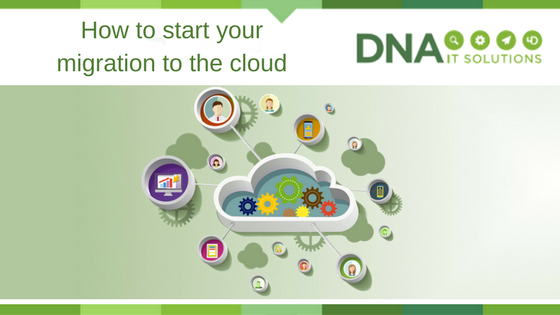
How to start your migration to the cloud

Start Cloud migration DNA IT

Once the decision has been made to move to the cloud a business will be anxious to get started on the project.

The first steps can sometimes seem the most difficult but once you have a plan in place and somebody to walk with you along the journey, it seems less daunting.

Make a list

It might sound obvious but it is always a good idea to take a look at the applications you already use.  Once you have this list you can put them in various categories and in order of critical importance.   Some of the categories could center around risk, general operations or security.

Cloud Provider

Microsoft Azure are world class providers of cloud computing options and they give some advice when it comes to approaching applications and categorising them.

They suggest two different assessments:  A top down approach which focuses on where applications should go to best serve the business.  Then a bottom-up approach which is concerned more with the technical feasibility of where an application could go and still function.

The Top-Down Assessment

The top-down approach starts with an evaluation of the various technical and security aspects of each application:

  • Categorisation of data, compliance, sovereignty and security risk requirements
  • Current complexity of interface, authentication, data structure, latency requirements, coupling and application life expectancy of the application architecture
  • Operational requirements like SLAs, integration, maintenance windows, monitoring and insight

Once analysed, all of these aspects generate an overall score that reflects the difficulty of moving that application to the cloud. The top-down assessment also involves evaluating the application’s financial benefits:

  • Operational efficiencies, TCO, return on investment (or similar measurements)
  • Overall computer load, seasonal fluctuations in usage levels, types of users (casual vs. expert, always online vs. only occasionally), necessary levels of scalability or elasticity
  • Business continuity and resiliency requirements, any dependencies in the event of a service disruption

Together, the outcomes from each of these two appraisals generate an overall score that reflects the difficulty of migrating the application against the financial payoff of migrating it. With the top-down method you can more easily identify which applications have the highest degree of value and success from migration, and prioritize these applications as you begin to map out the migration process.

The Bottom-Up Assessment

Simultaneous to the top-down assessment, a bottom-up assessment can also be performed. And because this is more about the technical requirements and where an application could go, much of the information can be pulled from the Configuration Management Data Base. Requirements typically addressed with a bottom-up approach include:

  • Memory, number of processors, operating system disk space, data disks
  • Network interface cards
  • IPv6
  • Network load balancing
  • Clustering
  • OS/ DB version
  • Domains supporting
  • Third-party components/ software packages

Once both these assessments are completed it will create a list that can be used to prioritise the work.  Normally the team will start with the least complex and move along to the more difficult aspects.

For more guidance on developing a migration plan, details about Microsoft’s own migration and how to get the most out of the cloud, check out the Enterprise Cloud Strategy ebook.


DNA IT Solutions work with Microsoft Azure to help clients with their migration to the cloud.  Our aim is to make the journey as straightforward as possible.  Our expert team are ready to take your call to discuss your needs.

10 Questions to Ask Your Cloud Email Security Provider

Fusemail email security DNA IT

The world of online security, email continuity and archiving can be tricky.

That’s why you need an expert to guide you along the way.  FuseMail is a product that DNA IT Solutions offer to their clients and we want to share some information about it with you.  FuseMail have put together 10 questions a business might ask when choosing a cloud email provider.  The information provided here will not only answer your questions but will give you food for thought.

Do I pay extra for support?

Some email and web security providers will charge you extra for telephone support or restrict you to a limited number of calls. Email is business critical! Check that you are covered for unlimited telephone and email support. You need to be able to reach the Support Team whenever you need them. Charging for out of hours’ support is common, but ensure you agree a prearranged fee for this.

Is advanced threat protection included in my package?

Advanced threat protection is a necessity, not an optional add on. Make sure you are protected from phishing and spear phishing from the outset by ensuring your email security is all inclusive.  Most providers will tier their protection, so ensure the package you choose gives you the protection you need.

Can I customise the platform to suit the needs of my organisation?

Some email security systems are inflexible. If you need to set up some custom policies for your organisation, then you are forced to pay for bespoke development or call support, even if you just want to make a small change.  Ensure your system is under your control before signing up to anything.

Can it handle data loss protection?

Sending customer or employee data outside of the organisation should raise alarm bells.  Make sure your email security system can sound the alarm either through keyword policies or data strings and make sure attachments are scanned too.

Is it fully compatible with MAPI, IMAP and POP Messaging protocols?

You want an email security provider that can move with you, if you move. It should be compatible with all major messaging protocols and email clients. A lot of companies are moving to Office 365, so to future proof yourself, check that it works with that too!

Does it have a single unified interface for all messages?

All vendors claim to want to help you reduce time spent on IT administration. However, when it comes to email security there are a few key things that really help, including ensuring fewer false positives and a streamlined process for managing the quarantine.   So how many quarantine areas should you have to search through before you find what you need? One!

What happens if my mail server fails? Can you offer me email continuity?

Email continuity is crucial for all businesses, if your email server or Exchange goes offline, does your business come to a stop? Probably.    Always-on email continuity means never losing the ability to send or receive emails. Not everyone can offer this. If they can – is the service worth the fee charged?

Do they invest in research and development?

Some email security vendors will give you a product that works but is never worked on. Buy into something that is being developed and updated regularly. This is often overlooked, but new threats continually emerge and your vendor needs to respond. Don’t end up stuck with something that protects you from last year’s threats.

Can they offer web security?

We agree, you can be a jack of all trades and a master of none, or you can master a few complementary areas. So yes if a provider labels themselves as an email security expert, you will probably get a great product but, if you employ an online security company to manage all your online security needs, wouldn’t that be neater?

Can they provide you with email archiving?

It’s just simpler to have your online vendors in one place and cloud email archiving is the perfect complement to email security.  To save time, go with a vendor who can manage your cloud email security, cloud email archiving and cloud web security


FuseMail enables businesses around the world to communicate with confidence every day. Their cloud based services provide simple, secure, and scalable solutions for email security, spam and virus filtering, email archiving and hosted Exchange. With an international suite of products and features, FuseMail is a world leader in email and web security and that is why DNA IT Solutions partner with them to provide their products in Ireland.  For more information on this you can speak with our expert team.