cyber security Archives - Page 2 of 2 - DNA IT Solutions

Tag Archives: cyber security

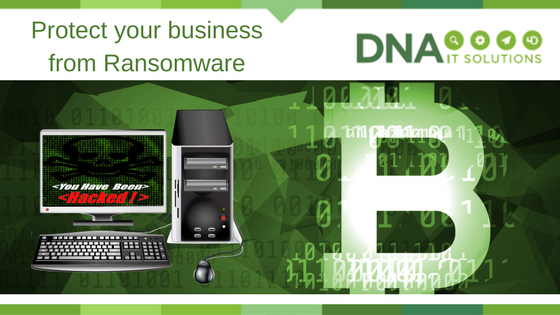
Protect your business from Ransomware

protect ransomware DNA IT Solutions

All organisations are increasing their reliance on IT for the day to day running of their business.

There is more sharing of information and storage of data in a digital format.  There are more remote workers and that is the shape of the modern enterprise – people working from home, working remotely on site, working while on the go.   With this sharing of data comes great advantages but it is accompanied by increased risks also.

Cyber Criminals

Cyber criminals are on the lookout for businesses they can target.  They look for the ones that are vulnerable.  According to World back up day, 60 million computers will fail in the next 12 months, 30% of us do not back up and 10% of computers are infected with a virus each month.

Smartphones, tablets and laptops are especially vulnerable.  Users can unwittingly download malicious files that will infect a device or even put them in a situation where ransomware holds their data for hostage.

Ransomware   

We all remember WannaCry.  Once it had infected a device, it encrypted files, displays a “ransom note” and demanded bitcoin payment.  In a situation like that many panicked users just paid up making it more attractive for the cyber criminals to plan their next attack.

You might imagine that it takes much expertise, time and resources to create something like WannaCry.  However, ransomware kits are easily accessible and virus protection only recognises existing strains.  That is why back up is such an important element of your security solution.

Protect your business

The good news is that there are ways of protecting both your data and your business.  Security products that add a layer of security to email systems will help prevent malicious emails from arriving in the user’s inbox.  Security training for end users can be helpful in allowing them to identify an email that may cause issues.  Protection not just for the PCs in the office, but for all mobile devices is crucial with remote working practices.

Even if you do get attacked, you can put in place processes to ensure that the data that is lost is restored.  A proper backup plan will ensure you have copies of the files stored in another location that is secure and readily accessible by your IT team.  Restored within hours not days, enabling you to get on with your business.

Ransomware is a scary word but with the right IT Security you can reduce your risk and have methods in place to counteract an attack.  To discuss your options, talk to the team at DNA IT Solutions today.


Layers of security

Layers of Security DNA IT

Security Alerts

With each passing month there seems to be another story of a company who got hacked, some piece of ransomware that is making the rounds or even news of a colleague whose laptop got infected by a virus.  When you are busy with your business the last thing you should be concerned about is Cyber Security but unfortunately it has become a significant risk.

More places to attack

With IT being the heartbeat of most businesses today, there are more devices and technologies in use than ever.  Even the smallest of offices will have a PC and a laptop.  Add to that the smart phones and tablets that most people seem to use and before long the numbers start to add up.  As we move to the cloud we then concern ourselves with cloud security, network security and sharing information that is not encrypted.

More advanced methods

Cyber-attacks can be lucrative business for hackers and now they are becoming more co-ordinated.  With the ease of communication globally they can be arranged quite easily.  Recent attacks that have been investigated have been found to have been very well thought out and planned well in advance.

Did you know that you can now purchase a kit online that is ready for use and can enable somebody with even basic IT skills to launch an attack?  That means more attackers and an increase in the number of attacks each day.  Sophisticated technology means one keyboard warrior can launch an all-out battle against a victim of choice.

Layers of Security

However, all is not lost so there is no need to give up hope just yet.  As the bad guys get more sophisticated so do the world leaders in IT security.   It is important to know that there is not one single solution that will protect you against everything, rather it will be the layers of security working together that will provide the best protection.

These layers work like a team – they are more effective when all working together and covering all the bases.

  • Proactive – Keeping a watch out for attacks
  • Detection – Knowing and identifying the attack
  • Preventing – Stopping it before it damages
  • Investigating – Checking it out to shield from future attacks
  • Protecting – Protecting your data and your business interests.

In today’s world an organisation needs to look to the protection of the whole business environment.  Having a single centrally managed security approach by amalgamating many vendors will ensure solutions that work together.  Offering consistent protection that helps to provide better security is the key.

At DNA IT Solutions we work with world leading IT Security technologies to provide the best protection for our clients.  Everything from anti-virus software, anti-ransomware methods, secure email systems, mobile protection, perimeter and gate protection.  We also specialise in data loss prevention and end user training for a complete offering.   If you are concerned about the level of protection you have in your organisation maybe it is time to speak with the expert team at DNA IT Solutions.

Do Your Senior Management Know How to Spot a Phishing Attack?

Fusemail Phishing attack DNA IT Solutions

The rise of spear phishing attacks means we have to learn to be suspicious.

Spear phishing attacks are on the rise and therefore so are the number of victims of successful attacks. In order to protect your organisation from threats like this you need to have a multifaceted approach to email security.

Your Staff are the Key

You may have invested in the best technology to prevent or mitigate a phishing attack but equally important to your defence is your staff and that aspect can be difficult to control. It takes just one person to open a phishing email or click on a malicious link to put your entire network and company at risk.
Senior management, decision makers, and people with access to transfer finances are the most likely to be targeted by phishing attacks.  FuseMail, the email security experts, have developed leading email security technology to identify and prevent phishing and spear phishing attacks in the cloud, before they reach your network.

Spear Phishing

Phishing is described as any website, online service, phone call, text message or email that poses as a company or brand you recognise. Attacks are generally undertaken on a large scale – a big net is cast to try to catch as many victims as possible.

Spear phishing is similar to phishing but is undertaken on a more targeted level. The spear phishers target specific individuals using social media, telephone calls and in some cases the hacking of accounts in order to get more detailed information about their potential victims. They invest time and effort to get as much information as possible about their target and then use that to make their requests appear very authentic.

Both types are designed to convince you or your team to hand over valuable organisational details, money, or trick you into downloading something that infects your computer and corporate IT network. The impostors phish for potential victims by sending emails, social media messages or text messages or making phone calls with urgent messages in the hope of persuading someone to visit the bogus website or pay out sums of money.

Why do they do it?

They do it because it works.  One in four companies reported a cyber breach in the last 12 months.   According to research compiled by the University of Portsmouth for the 2016 Annual Fraud Indicator report, fraud is taking place on an industrial scale and is one of the biggest crimes afflicting UK PLCs today.

It just takes a single click.

You may have invested in the best technology to prevent or mitigate a phishing attack but the mainstay of your defence is your staff and that can be difficult to control. It takes just one person believing a phishing email or clicking on a malicious link to put your entire network and company at risk.

Staff knowledge and awareness is the balance between success and failure

By arming your staff with the knowledge to identify phishing scams you will benefit from money and time savings, a clean reputation and an improved staff mood. In fact, being able to detect a potential malicious email and act promptly makes your staff feel important, empowered and active in the fight against cyber-crime.

Adopting a user awareness programme combined with traditional anti-malware enhances your anti-phishing capabilities, by understanding that employees can serve as a valuable active defence layer inside the organisation.

FuseMail allow you to connect with confidence everywhere and every way.  For more information on FuseMail you can speak with the expert team at DNA IT Solutions.

10 Questions to Ask Your Cloud Email Security Provider

Fusemail email security DNA IT

The world of online security, email continuity and archiving can be tricky.

That’s why you need an expert to guide you along the way.  FuseMail is a product that DNA IT Solutions offer to their clients and we want to share some information about it with you.  FuseMail have put together 10 questions a business might ask when choosing a cloud email provider.  The information provided here will not only answer your questions but will give you food for thought.

Do I pay extra for support?

Some email and web security providers will charge you extra for telephone support or restrict you to a limited number of calls. Email is business critical! Check that you are covered for unlimited telephone and email support. You need to be able to reach the Support Team whenever you need them. Charging for out of hours’ support is common, but ensure you agree a prearranged fee for this.

Is advanced threat protection included in my package?

Advanced threat protection is a necessity, not an optional add on. Make sure you are protected from phishing and spear phishing from the outset by ensuring your email security is all inclusive.  Most providers will tier their protection, so ensure the package you choose gives you the protection you need.

Can I customise the platform to suit the needs of my organisation?

Some email security systems are inflexible. If you need to set up some custom policies for your organisation, then you are forced to pay for bespoke development or call support, even if you just want to make a small change.  Ensure your system is under your control before signing up to anything.

Can it handle data loss protection?

Sending customer or employee data outside of the organisation should raise alarm bells.  Make sure your email security system can sound the alarm either through keyword policies or data strings and make sure attachments are scanned too.

Is it fully compatible with MAPI, IMAP and POP Messaging protocols?

You want an email security provider that can move with you, if you move. It should be compatible with all major messaging protocols and email clients. A lot of companies are moving to Office 365, so to future proof yourself, check that it works with that too!

Does it have a single unified interface for all messages?

All vendors claim to want to help you reduce time spent on IT administration. However, when it comes to email security there are a few key things that really help, including ensuring fewer false positives and a streamlined process for managing the quarantine.   So how many quarantine areas should you have to search through before you find what you need? One!

What happens if my mail server fails? Can you offer me email continuity?

Email continuity is crucial for all businesses, if your email server or Exchange goes offline, does your business come to a stop? Probably.    Always-on email continuity means never losing the ability to send or receive emails. Not everyone can offer this. If they can – is the service worth the fee charged?

Do they invest in research and development?

Some email security vendors will give you a product that works but is never worked on. Buy into something that is being developed and updated regularly. This is often overlooked, but new threats continually emerge and your vendor needs to respond. Don’t end up stuck with something that protects you from last year’s threats.

Can they offer web security?

We agree, you can be a jack of all trades and a master of none, or you can master a few complementary areas. So yes if a provider labels themselves as an email security expert, you will probably get a great product but, if you employ an online security company to manage all your online security needs, wouldn’t that be neater?

Can they provide you with email archiving?

It’s just simpler to have your online vendors in one place and cloud email archiving is the perfect complement to email security.  To save time, go with a vendor who can manage your cloud email security, cloud email archiving and cloud web security


FuseMail enables businesses around the world to communicate with confidence every day. Their cloud based services provide simple, secure, and scalable solutions for email security, spam and virus filtering, email archiving and hosted Exchange. With an international suite of products and features, FuseMail is a world leader in email and web security and that is why DNA IT Solutions partner with them to provide their products in Ireland.  For more information on this you can speak with our expert team.

Don’t Take the Bait – Phishing is big business

Phishing DNA IT solutions

In recent times phishing attacks have become more prevalent and sophisticated.

Cyber criminals are learning more refined ways to prey upon people which is resulting in quite a few successful attacks.  In particular, they’ve taken advantage of the malware-as-a-service offerings on the dark web in order to increase the efficiency and volume of attacks. In fact, 91% of cyber attacks and their resulting data breaches now begin with a spear phishing email message.  Now, more than ever there is a need for a multi-layered defence against phishing attacks which combines advanced security technologies with educated, phishing-aware employees.

Sophos shared a white paper recently on this subject and we wanted to share some of their findings with you.  For the full report click here.

What is Phishing?

It’s that email you receive that looks like a request from your bank but when you click on it and enter your login details you are actually handing them over to criminals.  It has even become more than that now.

In 2016, the volume of attacks increased dramatically, fuelled by dark web services such as free phishing kits and phishing-as-a-service. It’s become increasingly simple for even the least technically inclined attacker to leverage advanced malware that’s been produced by someone far more savvy than they are. As such, 2016 has been dubbed the “year of ransomware”.

Improving efficiency and productivity

For the most part, cyber criminals will try extort money from you using ransomware or social engineering, or they’ll steal data and credentials that can be sold via dark web markets.

There has been a rise to more efficient attack distribution methods, with on-demand phishing services, off-the-shelf phishing kits, and new waves of attack types such as Business Email Compromise (BEC) that look to target higher value assets via  social engineering.

Phishing kits are now widely available for download from dark web forums and marketplaces, and give attackers all the tools they need to create profitable phishing attacks: emails, web page code, images, and more.

Attacks-as-a-service

In fact, attackers don’t even need to know how to create malware or send emails anymore. Ransomware-as-a-service allow a user to create an online account and fill out a quick web form, including the starting ransom price and a late payment price for victims. The provider of the service then takes a cut of each ransom paid, with discounts offered if the user is able to translate the malware code into new languages or if the volume of the attack exceeds a certain level

Phishing-as-a-service allows users to pay for phishing attacks to be sent for them, using global botnets to avoid known dodgy IP ranges. Guarantees are even made to only bill users for delivered email messages, much like any legitimate email marketing service.

Spear phishing  is where emails impersonating a specific sender or trusted source are sent to targeted individuals within organisations to try to get them to take certain actions, like sending money to spurious accounts.

Business Email Compromise attacks are so-named because they’re associated with employee email accounts being compromised rather than the sender address being spoofed. This makes attacks much harder to spot by end user.

The fight against phishing

Phishing emails come in all shapes and sizes, and unfortunately, no single product will fully protect your business from phishing attacks. A multi-layered defence against phishing attacks, combining advanced security technologies and educated employees is the only answer

Stop threats at the door

Your first opportunity to defend against phishing attacks and other email-borne threats is strong email and web filtering. Email protection is your watch guard, blocking 99% of unwanted email at the gateway, including malicious attachments, content, and URLs – long before an end user ever sees them. Web filtering is another must-have as a front-line defence, filtering and blocking infected URLs should your users click an email link.

Appropriate education is critical for ensuring that employees know how to spot and deal with these types of email messages. Look for solutions with editable campaign simulations that can be made relevant to your organisation.

Secure your last line of defence

If your click-happy end users inadvertently unleash potent, powerful malware onto your systems, there’s still ample opportunity to stop the damage – and even reverse its effects. Next-generation exploit prevention solutions will identify, analyse, and neutralize the effects of even the most advanced, unseen malware out there, and automatically clean up all trace of infection so you can get on with your day.

Know your business

Make sure your company processes are understood, that you encourage employees to question requests that seem out of character from other employees and senior managers and perhaps most important of all, ensure you have a two-stage approval process for all significant fund transfer requests. All the defences in the world aren’t going to stop an employee from unknowingly sending large payments to a thief without some proper checks and balances in place.

Sophos has powerful technologies that can protect you at each stage of an attack.  For more information visit Sophos or talk to the expert team at DNA IT Solutions, we work with Sophos to help protect clients from cyber attacks.

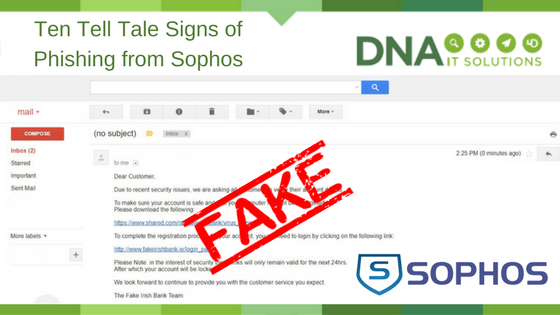
10 Tell Tale Signs of Phishing from Sophos

10 tell tale signs of phishing sophos DNA IT

Sophos likes to make security simple for business.  They have provided the top 10  “tells” you can look for to help suss out potential scams.

  1. It just doesn’t look right. Is there something a little off with a particular email message? Does it seem too good to be true? Trust your instincts.
  2. Generic salutations. Instead of directly addressing you, phishing emails often use generic names like “Dear Customer.” This use of impersonal salutations saves the cybercriminals time.
  3. Links to official looking sites asking you to enter sensitive data. These spoofed sites are often very convincing, so be aware of what personal information or confidential data you’re being asked to reveal.
  4. Unexpected emails that use specific information about you. Information like job title, previous employment, or personal interests can be gleaned from social networking sites like LinkedIn and is used to make a phishing email convincing.
  5. Unnerving wording. Thieves often use unnerving wording (such as saying your account has been breached) to trick you into moving fast without thinking and in doing so, revealing information you ordinarily would not.
  6. Poor grammar or spelling. This is often a dead giveaway. Unusual syntax is also a sign that something is wrong.
  7. Sense of urgency. “If you don’t respond within 48 hours, your account will be closed.” By creating a sense of urgency, the thieves hope you’ll make a mistake.
  8. You’ve won the grand prize!” These phishing emails are common, but easy to spot. A similar, trickier variation asks you to complete a survey (thus giving up your personal information) in return for a prize.
  9. “Verify your account.” These messages spoof real emails asking you to verify your account. Always look for signs of phishing, and always question why you’re being asked to verify – there’s a good chance it’s a scam.
  10. Cybersquatting. Often, cybercriminals will purchase and “squat” on website names that are similar to official websites in the hopes that users go to the wrong site e.g. www.google.com vs. www.g00gle.com . Always take a moment to check out the URL before entering your personal information.

For more tips and tools to stop phishing, visit the Sophos website

If you want to discuss your business IT Security you can speak to an expert at DNA IT Solutions.  We partner with Sophos to provide end to send IT Security and support.

October is National Cyber Security Month

Cyber Security Month DNA IT

One of the key concerns for our clients is keeping their business data secure.

Hackers, ransomware, viruses are all words that strike fear due to the threat of untold damage and the negative repercussions that can follow.

European Cyber Security Month (ECSM) is an EU awareness campaign that promotes cyber security among citizens and organisations about the importance of information security and highlighting the simple steps that can be taken to protect their data, whether personal, financial or professional. The main goal being to raise awareness, change behaviour and provide resources to all about how to protect themselves online.

DNA IT Solutions offer a suite of products that can help protect our clients.  We work with world class companies such as Sophos, Watchguard, Fusemail, McAfee and many others to provide layers of security.  However, sometimes it’s an unwitting action from an internal user that causes mayhem.  So we also recommend that users get cyber security smart with some simple tips that may save a company from disaster.

Be aware of online scams

Don’t respond to unsolicited requests for information and certainly be sure of links before you click.  If you are not expecting that email from a contact, if the tone is not right then pick up the phone and call them to see if they sent it to you.  Sometimes you will be targeted by phone for information before being interacted with you online, so verify callers before you give information.  Beware of that ‘super prize win’ because if it looks too good to be true, it usually is.

Be password clever

It’s good practice to have a different password for each account and remember to change your password often.  When it comes to deciding on a password, keep personal information such as your name or pets name out of your password.  Longer passwords are stronger passwords so use a mix of letters, symbols and numbers.  Don’t share your passwords with others and beware of shoulder surfing to steal passwords.

Straightforward advice

Be careful what you browse on a shared device or when you are using an unfamiliar network.  Be careful of what you plug into your computer, ask yourself how reliable it is.  On your own device, keep software up to date for the latest security patches to stay safe.  Remember to back up your valuable information so in the event of a disaster you can get back up and running quickly.

By following this simple advice, you can help in the cyber security fight.  It’s important to ensure you have the right protection that is appropriate to your business and that’s where DNA IT Solutions can help.  We have an expert team that can give you access to the best technology available now.  For more information, get in touch with us today.

What is malware and ransomware, and how can I protect against it?

Cyber security DNA IT

PCs and mobile devices are all at risk from malware. That is the generic term for any program, OS update, email attachment or rogue website that can cause harm to business PCs and the data stored on them. Ransomware is rapidly becoming the most prevalent form of malware. This type of threat locks away the company’s data, and the owners often are forced to pay a ransom, usually in the electronic Bitcoin currency, to restore their files, unless they make very regular backups.

A complete security solution

To defend against these threats, your company needs more than a consumer-level firewall or antivirus software protecting its systems. Instead, a well-rounded approach is required to ensure that all systems are using the latest operating systems and are automatically updated with the latest patches to prevent an attack.

This is because many new types of malware can access “backdoors” into computers that the U.S. government have been using to spy on their enemies, until information about all these backdoors was leaked. Now any cyber criminal can launch a hacking campaign using these tools, and while most operating systems have been patched to protect against them, if your company’s systems are not up to date, they are not protected.

Sophos Security

On the network side, your business needs to scan all data coming into its computers across the Internet, on memory sticks, or in emails. Virus software needs to be updated daily with the latest list of threats. Sophos is our choice of security vendor and its endpoint solutions are smart and can detect malware before it has even been categorised by other anti-virus software.

Security solutions made for your business

With many businesses growing fast, it is hard for them to spare the resources for an IT security expert, so relying on outside help from a company like DNA IT Solutions is an ideal option. This allows you to concentrate on your business and let us worry about the threats that lurk online. These aren’t targeting your business specifically, but they spread so wide, fast and randomly that it is easy for any company to be caught in their net. With all-round IT security protection, you can be sure that your business is best protected, and your data – which is essential for day-to-day operations – will be safe.