News Archives - Page 8 of 11 - DNA IT Solutions

Category Archives: News

The Top 5 Benefits of Managed IT Services

Top 5 Benefits of managed IT DNA IT

One valuable piece of advice that is given to business owners when they start out on their journey is to stick to what they are good at and outsource all the other tasks.

It’s great advice when it comes to accounts, human resources and various administration tasks.  It’s even better advice when it comes to outsourcing the management of the IT systems.   Most businesses rely on their IT infrastructure to function every day and the cost of having a system that fails can be immense.

So when it comes to outsourcing what are the main benefits?

  1. Access to Enterprise Level Technology

The right managed service provider will have a suite of products and services available to their clients.  They will already know what you will need and the best options for your industry requirements.  As a small business you can gain access to the newest technologies and the best support that normally only the bigger global companies can get.

  1. Less downtime

Downtime costs you money – every time!  When your IT systems are fit for purpose, monitored 24 hours a day and upgraded as required you will have less issues.  Your managed service provider will be proactive and address any risks  before they develop into an issue.  You can’t work when your email or order system is down so don’t leave yourself wide open to that eventuality.

  1. Reduced costs

What’s the real cost of downtime, of your time trying to fix an issue?  Much less than having that issue not happen in the first place.  With managed services you will have a fixed monthly fee so you can plan for the future within whatever budget you set.  When it comes to cloud services you will only be paying for what you need.

  1. Increased opportunities

The right technologies will allow your business to grow.  You will be better able to access new markets, to handle bigger clients and busier workloads.  You need systems that are robust and built to last.   And when it comes to growth you will be already planning for the future with your provider to create a manageable plan and budget.

  1. Peace of mind

The biggest benefit of working with a IT solutions provider you trust is not worrying about your IT letting you down. Knowing that somebody is monitoring your systems 24/7/365.  Meaning that you can focus on your business and not what the technology is doing.


Put a plan in place for the future and grow with confidence.  DNA IT Solutions work with clients just like you to be proactive in protecting their data, enabling them to access the best systems and plan for the future.  Talk to our team today about cost effective enterprise level IT support.

Do Your Senior Management Know How to Spot a Phishing Attack?

Fusemail Phishing attack DNA IT Solutions

The rise of spear phishing attacks means we have to learn to be suspicious.

Spear phishing attacks are on the rise and therefore so are the number of victims of successful attacks. In order to protect your organisation from threats like this you need to have a multifaceted approach to email security.

Your Staff are the Key

You may have invested in the best technology to prevent or mitigate a phishing attack but equally important to your defence is your staff and that aspect can be difficult to control. It takes just one person to open a phishing email or click on a malicious link to put your entire network and company at risk.

Senior management, decision makers, and people with access to transfer finances are the most likely to be targeted by phishing attacks.  FuseMail, the email security experts, have developed leading email security technology to identify and prevent phishing and spear phishing attacks in the cloud, before they reach your network.

Spear Phishing

Phishing is described as any website, online service, phone call, text message or email that poses as a company or brand you recognise. Attacks are generally undertaken on a large scale – a big net is cast to try to catch as many victims as possible.

Spear phishing is similar to phishing but is undertaken on a more targeted level. The spear phishers target specific individuals using social media, telephone calls and in some cases the hacking of accounts in order to get more detailed information about their potential victims. They invest time and effort to get as much information as possible about their target and then use that to make their requests appear very authentic.

Both types are designed to convince you or your team to hand over valuable organisational details, money, or trick you into downloading something that infects your computer and corporate IT network. The impostors phish for potential victims by sending emails, social media messages or text messages or making phone calls with urgent messages in the hope of persuading someone to visit the bogus website or pay out sums of money.

Why do they do it?

They do it because it works.  One in four companies reported a cyber breach in the last 12 months.   According to research compiled by the University of Portsmouth for the 2016 Annual Fraud Indicator report, fraud is taking place on an industrial scale and is one of the biggest crimes afflicting UK PLCs today.

It just takes a single click.

You may have invested in the best technology to prevent or mitigate a phishing attack but the mainstay of your defence is your staff and that can be difficult to control. It takes just one person believing a phishing email or clicking on a malicious link to put your entire network and company at risk.

Staff knowledge and awareness is the balance between success and failure

By arming your staff with the knowledge to identify phishing scams you will benefit from money and time savings, a clean reputation and an improved staff mood. In fact, being able to detect a potential malicious email and act promptly makes your staff feel important, empowered and active in the fight against cyber-crime.

Adopting a user awareness programme combined with traditional anti-malware enhances your anti-phishing capabilities, by understanding that employees can serve as a valuable active defence layer inside the organisation.

FuseMail allow you to connect with confidence everywhere and every way.  For more information on FuseMail you can speak with the expert team at DNA IT Solutions.

The Right Security Solution for Mobile Workers

right solution for mobile workers DNA IT

In a previous article we looked at how the modern enterprise meant that workers were now used to working remotely and using mobile technology to enable them to do so.

Using smartphones, laptops and tablets as part of their day to day activities and moving from one to the other with ease.   While this remote working may make life easier for your team, it also leaves them open to high risks.

In that article we looked at the 3 steps needed – 1.Protect users and devices  2.  Protect the Enterprise Network  and 3.  Protect Corporate Data  You can read all about securing mobile part 1 here

What Else is Needed? 

By protecting users and devices, our network and our data, we complete the three key steps outlined already. However, if the solution or solutions we use are typical, they will be complex, piecemeal and not very user friendly.  In order enable the safe path to mobile productivity, organisations need to not only take the 3 steps outlined above, but the solutions they adopt must be comprehensive, simple to deploy and manage and end-user ready. When selecting a solution to protect your users, networks and data, consider the following:

Comprehensive, Simple, End-User Ready!

1) Is the solution comprehensive and integrated? Does it offer all of the critical protections outlined in this paper, or does it leave significant gaps in protection. If it is comprehensive, do all of the parts work as one, or is it a set of individual piece parts that require additional resources?

2) Is the solution simple for you? Is it easy to license, acquire, deploy and manage?  Can you easily measure the effectiveness and compliance delivered by the solution?  Does the solution have a single administrative, reporting and deployment capability?  Are the management processes simple, straight-forward and easy to learn?

3) Is it end-user ready? Can you tailor the solution to meet the needs of your users? Does the solution respect user privacy while still meeting corporate objectives? Does the solution empower users to manage their own issues such as password reset

Mobile use and mobile risk is on the rise.

Employees are no more likely to give up their smartphones and mobile devices and tether themselves back to their desktops than they are to give up streaming music and go back to LPs. Cyber criminals are well aware of these trends. Organisations cannot ignore mobile risk. They must protect their users, devices, networks and data. In order to do this effectively, they need comprehensive solutions that are simple to deploy and manage. And most importantly solutions that are end-user friendly. Only then can organizations reap the productivity benefits of using mobile devices while protecting themselves against the risk.

Sophos Mobile

Sophos Mobile is the EMM solution for businesses that want to spend less time and effort to manage and secure mobile devices. Manage mobile devices with the easy-to-use, web-based, unified Sophos Central admin interface alongside endpoint, network, or server security from Sophos. With its best-in-class data protection, comprehensive security, value-for-money, and flexible management options, Sophos Mobile is the best way to allow the use of mobile devices for work, keeping users productive, business data safe and personal data private.

For more information about incorporating Sophos Mobile into your security solution contact the DNA IT Solutions team.   We work with Sophos tools to help keep our clients protected.


How to Choose a Cloud Provider

How to choose a cloud provider DNA IT

You have made the decision to swap your old server for a move to the cloud and embrace the modern world of cloud computing. You have an idea of the benefits but where should you start?

You need to understand the features of your cloud provider, and make sure that it is suited to your business needs keeping in mind reliability, storage limits, privacy and security.

Finances

One of the top reasons to move to the cloud is for financial reasons as it is normally more cost effective.  You need to pick a provider that is established and secure in their own finances to make sure they won’t let you down in the long term. Look at their track record, especially how they have operated over a long time.  A provider such as Microsoft Azure would be a perfect example of a company you could have confidence in.

Risk

The cloud provider should have a formal management structure in place with strong risk management policies and procedures. There should be a clear train of responsibility in order to provide you with the great and consistent service that your business needs. Find out about their risk management and how they would manage a drama or a slip-up if one occurs in the future so you know what to expect if something happens.

Reporting

A managed IT service provider can be your way of knowing your data is secure. They will be the ones managing your cloud storage and should be able to give you regular reports on your performance, along with modern monitoring of the resource to make sure your cloud is working well for you.  Additionally, they should be able to provide an SLA, a set amount of time they have to get back to you on any queries or problems that you may encounter.
Technical processes

How easy will the transition be? Can you link it with your existing systems to make the cloud transition simple and easy? These are all things to think about, along with what the interface will look like and how you can use it, how you add events and manage them, along with how you can adapt it to your needs as these change over time.

You need to be aware of hybrid capabilities, as even if you don’t need this right away, you may want to upgrade in the future so you need to know your provider can get that for you.  This will all be part of the planning and exploration stage with your managed IT provider.

Security

There should be policies for tested and tried security measures for your cloud platform. These should be visible to everyone and should in no way be compromised – it is your company’s data and that is why it is most important.

Along with a data backup there should be physical security evident too, from access to hardware and safeguards around the software to protect your equipment and your data from any events that may affect this. Ensure you have a disaster recovery plan along with a business continuity plan, so that even if something does happen, you can rest assured in the knowledge that your company is safe.

When you have made a decision to move to the cloud make sure you are well informed.  A conversation with DNA IT Solutions could save you time, hassle and money in the long run.  Contact our team today to see what we can do for you.

Securing Your Mobile Workforce

Securing mobile work force DNA IT

In the modern enterprise era every business is now mobile.

We are all staying connected to work with mobile phones, tablets and laptops.  Employees are also using personal devices to access corporate data and this can put their organisation at risk when passwords or devices are lost.

Cyber criminals know this is happening and they are trying to benefit from these trends by introducing more sophisticated ways to use mobile malware to cause as much damage as possible.

These threats need to be managed while at the same time allowing users to benefit from this new mobile technology that makes the working day easier.  Sophos looked at how a business can provide flexibility but also protect its networks and corporate data.  Here they share their 3 key steps to successfully secure your mobile workforce:

Three Steps to Managing Today’s Mobile Risk

The task of Enterprise Mobile security really boils down to three basic needs: Protecting the user and device; protecting the access to enterprise’s network; and protecting an enterprise’s data.  And of course, most importantly, we need an easy to use solution that lets us accomplish our goals with available resources.

Step 1 – Protect users and devices

As we have seen, today’s mobile user depends on their smartphone for organising both their work and personal life. The division between work and personal identity is blurry.  Therefore, organisations must step up and fill gaps where users and their constantly on, constantly on the move and ever more powerful devices leave the organisation vulnerable. Protecting users and devices means:

  • Implementing good password policy.
  • Ensuring that users take advantage of native lost device and wipe device features.
  • Providing Self Help tools for users to reset their own passwords and reduce the burden on IT.
  • Assuring that effective and current anti-malware software is installed and active on all devices (especially Android). Protecting users and their devices is the first key step to securing our mobile workforce.


Step 2 – Protect the Enterprise Network

Mobility and mobile devices go hand in hand with Wi-Fi access to both corporate and public networks. Managing these connections and the data that flows over them is critical to managing mobile security risk. This requires good network AND device security is in place. Protecting the network requires.

  • Establishing and enforce Wi-Fi network access policy.
  • Restricting access to the network to compliant users and devices.
  • Restricting unwanted or risky applications from accessing the network.
  • Securing access to frequently used and approved mobile applications and websites through the use of a corporate browser solution.
  • Protecting the network provides a second layer of defense in our 3-step strategy.

Step 3 – Protect Corporate Data

Once we have protected our devices and networks, the next step is to protect critical corporate data.  Data moving to and from mobile devices, as well as data on the devices themselves, creates risk that must be managed.  A lot of valuable data passes through our mobile devices when we engage in email and other collaboration services such as file sharing and discussions.  Many users also move confidential files to public file sharing sites like Box and Dropbox.

To protect business data we must:

  • Ensure that email, file sharing and other collaboration and information exchanges take place in secure application “containers” and workspaces.
  • Protect applications that support key business processes like order management, customer support, finance, sales and marketing, and product development.
  • Enable encryption of important files when they are accessed and shared on cloud storage services like Box, Dropbox and Google Drive. Protecting our data is the 3rd key step in our approach.

Sophos Mobile

Sophos Mobile is the EMM solution for businesses that want to spend less time and effort to manage and secure mobile devices. Manage mobile devices with the easy-to-use, web-based, unified Sophos Central admin interface alongside endpoint, network, or server security from Sophos. With its best-in-class data protection, comprehensive security, value-for-money, and flexible management options, Sophos Mobile is the best way to allow the use of mobile devices for work, keeping users productive, business data safe and personal data private.

For more information about incorporating Sophos Mobile into your security solution contact the DNA IT Solutions team.   We work with Sophos tools to help keep our clients protected.

What is Microsoft Dynamics and how can it enable your business to grow?

Microsoft Dynamics DNA IT

Microsoft Dynamics 365 is a cloud powered service.

It combines both CRM (customer relationship management) and ERP (enterprise response planning). It also comes with many new features added on to help run your business end to end in the cloud.

Microsoft Dynamics 365 is the next generation of intelligent business applications that enable your organisation to grow, evolve and transform. These applications unify CRM and ERP capabilities with purpose-built applications that work seamlessly together to help manage specific business functions and allow your organisation to transform to meet customer needs and capture new opportunities.

Microsoft Dynamics 365 for Sales empowers sellers with the insight, guidance and tools to drive personal engagement with their customers.

Dynamics and DNA IT Solutions

Here are some of the Key Benefits:

GROW BUSINESS: Leverage intelligent insights and business processes to increase revenue while reducing acquisition cost.
STAY FOCUSED: Reduce distractions and know where to prioritise in a fast-paced sales environment.
WIN FASTER: Close deals faster and increase revenue through sales collaboration and productivity
ACTIONABLE INSIGHTS: Derive meaningful intelligence from massive amounts of complex data by delivering simple to understand and act upon insights. Insights are in context of your customer relationship so that it’s easy to focus on the right priorities and drive personal engagement.
PERSONAL ENGAGEMENT: Great customer engagement allows your customers to engage with you on their terms while empowering your sellers with customer behaviour, trends and potential value to build and develop customer relationships
CUSTOMER MANAGEMENT: Automate your sales processes to shorten the sales cycle, boost productivity, and reduce costs. Microsoft Dynamics 365 for Sales features a highly intuitive interface with Microsoft Office 365—embedded capabilities.


Better Together

Field Service: Identify and create opportunities in the field for sales teams.
Project Service Automation: Help sales and delivery teams engage customers and deliver billable projects on time and within budget.
Customer Service: Get a complete view of your customers, including activity history, key contacts, communications, and internal account discussions.
Operations: Gain control of the end-to-end business processes on the sell side, from prospect to cash
Marketing: Enable marketing and sales to work closely to manage all prospect interactions throughout the customer journey.

For more information on Microsoft Dynamics 365 and how it can benefit your business talk to the team at DNA IT Solutions.

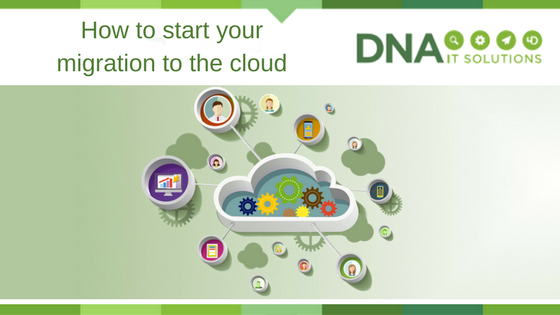
How to start your migration to the cloud

Start Cloud migration DNA IT

Once the decision has been made to move to the cloud a business will be anxious to get started on the project.

The first steps can sometimes seem the most difficult but once you have a plan in place and somebody to walk with you along the journey, it seems less daunting.

Make a list

It might sound obvious but it is always a good idea to take a look at the applications you already use.  Once you have this list you can put them in various categories and in order of critical importance.   Some of the categories could center around risk, general operations or security.

Cloud Provider

Microsoft Azure are world class providers of cloud computing options and they give some advice when it comes to approaching applications and categorising them.

They suggest two different assessments:  A top down approach which focuses on where applications should go to best serve the business.  Then a bottom-up approach which is concerned more with the technical feasibility of where an application could go and still function.

The Top-Down Assessment

The top-down approach starts with an evaluation of the various technical and security aspects of each application:

  • Categorisation of data, compliance, sovereignty and security risk requirements
  • Current complexity of interface, authentication, data structure, latency requirements, coupling and application life expectancy of the application architecture
  • Operational requirements like SLAs, integration, maintenance windows, monitoring and insight

Once analysed, all of these aspects generate an overall score that reflects the difficulty of moving that application to the cloud. The top-down assessment also involves evaluating the application’s financial benefits:

  • Operational efficiencies, TCO, return on investment (or similar measurements)
  • Overall computer load, seasonal fluctuations in usage levels, types of users (casual vs. expert, always online vs. only occasionally), necessary levels of scalability or elasticity
  • Business continuity and resiliency requirements, any dependencies in the event of a service disruption

Together, the outcomes from each of these two appraisals generate an overall score that reflects the difficulty of migrating the application against the financial payoff of migrating it. With the top-down method you can more easily identify which applications have the highest degree of value and success from migration, and prioritize these applications as you begin to map out the migration process.

The Bottom-Up Assessment

Simultaneous to the top-down assessment, a bottom-up assessment can also be performed. And because this is more about the technical requirements and where an application could go, much of the information can be pulled from the Configuration Management Data Base. Requirements typically addressed with a bottom-up approach include:

  • Memory, number of processors, operating system disk space, data disks
  • Network interface cards
  • IPv6
  • Network load balancing
  • Clustering
  • OS/ DB version
  • Domains supporting
  • Third-party components/ software packages

Once both these assessments are completed it will create a list that can be used to prioritise the work.  Normally the team will start with the least complex and move along to the more difficult aspects.

For more guidance on developing a migration plan, details about Microsoft’s own migration and how to get the most out of the cloud, check out the Enterprise Cloud Strategy ebook.


DNA IT Solutions work with Microsoft Azure to help clients with their migration to the cloud.  Our aim is to make the journey as straightforward as possible.  Our expert team are ready to take your call to discuss your needs.

10 Questions to Ask Your Cloud Email Security Provider

Fusemail email security DNA IT

The world of online security, email continuity and archiving can be tricky.

That’s why you need an expert to guide you along the way.  FuseMail is a product that DNA IT Solutions offer to their clients and we want to share some information about it with you.  FuseMail have put together 10 questions a business might ask when choosing a cloud email provider.  The information provided here will not only answer your questions but will give you food for thought.

Do I pay extra for support?

Some email and web security providers will charge you extra for telephone support or restrict you to a limited number of calls. Email is business critical! Check that you are covered for unlimited telephone and email support. You need to be able to reach the Support Team whenever you need them. Charging for out of hours’ support is common, but ensure you agree a prearranged fee for this.

Is advanced threat protection included in my package?

Advanced threat protection is a necessity, not an optional add on. Make sure you are protected from phishing and spear phishing from the outset by ensuring your email security is all inclusive.  Most providers will tier their protection, so ensure the package you choose gives you the protection you need.

Can I customise the platform to suit the needs of my organisation?

Some email security systems are inflexible. If you need to set up some custom policies for your organisation, then you are forced to pay for bespoke development or call support, even if you just want to make a small change.  Ensure your system is under your control before signing up to anything.

Can it handle data loss protection?

Sending customer or employee data outside of the organisation should raise alarm bells.  Make sure your email security system can sound the alarm either through keyword policies or data strings and make sure attachments are scanned too.

Is it fully compatible with MAPI, IMAP and POP Messaging protocols?

You want an email security provider that can move with you, if you move. It should be compatible with all major messaging protocols and email clients. A lot of companies are moving to Office 365, so to future proof yourself, check that it works with that too!

Does it have a single unified interface for all messages?

All vendors claim to want to help you reduce time spent on IT administration. However, when it comes to email security there are a few key things that really help, including ensuring fewer false positives and a streamlined process for managing the quarantine.   So how many quarantine areas should you have to search through before you find what you need? One!

What happens if my mail server fails? Can you offer me email continuity?

Email continuity is crucial for all businesses, if your email server or Exchange goes offline, does your business come to a stop? Probably.    Always-on email continuity means never losing the ability to send or receive emails. Not everyone can offer this. If they can – is the service worth the fee charged?

Do they invest in research and development?

Some email security vendors will give you a product that works but is never worked on. Buy into something that is being developed and updated regularly. This is often overlooked, but new threats continually emerge and your vendor needs to respond. Don’t end up stuck with something that protects you from last year’s threats.

Can they offer web security?

We agree, you can be a jack of all trades and a master of none, or you can master a few complementary areas. So yes if a provider labels themselves as an email security expert, you will probably get a great product but, if you employ an online security company to manage all your online security needs, wouldn’t that be neater?

Can they provide you with email archiving?

It’s just simpler to have your online vendors in one place and cloud email archiving is the perfect complement to email security.  To save time, go with a vendor who can manage your cloud email security, cloud email archiving and cloud web security


FuseMail enables businesses around the world to communicate with confidence every day. Their cloud based services provide simple, secure, and scalable solutions for email security, spam and virus filtering, email archiving and hosted Exchange. With an international suite of products and features, FuseMail is a world leader in email and web security and that is why DNA IT Solutions partner with them to provide their products in Ireland.  For more information on this you can speak with our expert team.

Are you a high-impact business?

High impact business DNA IT solutions

In a modern business, your IT systems are your lifeblood.

You need them to interact with customers, store your data, complete your work, and without them functioning properly, it all comes crashing down. So what have you got in place in case this happens? Could your business recover from losing a day’s work, or even more?

Protecting your IT Systems

We’re getting ahead of ourselves. Protecting your IT systems against fault isn’t a reactive measure, and a good IT professional will make sure that there are already plans in place to get up and running as soon as possible. That’s why it’s vital to have a forward-thinking IT services provider in place, well ahead of time. At DNA IT Solutions, we specialise in disaster recovery, so that our clients can maintain business continuity even if the worst happens.

By working out where you are now, we can see where you need to be in future to have as much security as possible against IT disasters. Our process begins here, thoroughly assessing your IT infrastructure, before setting out a plan of action that will get you where you need to be. Each solution is bespoke, and we can work with whatever you have, even migrating disparate hardware, software and network services into the new system.

The Right Technology

Once we have this nailed down, we can find the best option to get you up and running as soon as possible once a problem strikes. We find you the right technology for the job and integrate it into our plans – whether it’s new hardware, software or a cloud-based solution – and we’ll take you through the process every step of the way, from specification to sign-off. By minimising downtime, we can save you stress and money, and maybe even save your business.

Once we’ve got the solution you need in place, we won’t abandon you. We have Managed IT Services packages that have us at your side 24/7 to get you through whatever problems come your way and help you transition smoothly into the new way of working, sorting out teething problems and making sure everything works as well for your needs as possible.

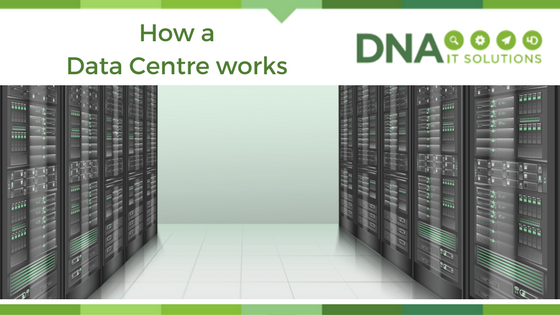
How a data centre works

How a data centre works DNA IT

A data centre is a centralised location where computer and networking equipment is stored for the purposes of collecting, processing and storing data. Organisations dealing with sensitive data will use such centres for security purposes, ensuring that a backup of all data is securely stored.

Why are data centres necessary?

The loss of data can result in the loss of revenues and consumer confidence and, in many instances, it can constitute a breach of the law. As companies of all sizes become increasingly data reliant and data hungry, the demand for storage space and processing power often outstrips the ability of said companies – particularly those classed as small-medium enterprises – to deliver on obligations to protect, back up and process data.

While it’s easy to dismiss the data centre as an additional security feature, it’s a fact that secure and rapid access to data is critical for all enterprises. Interruptions to the flow of data can bring a business to its knees if there is no effective backup strategy in place.

Picture the scenario without a sufficient backup solution in place: a system failure means that the office server goes down. CRM system databases are inaccessible. Accounts packages can’t be used to process payments. And, worst of all? All of your data is gone – that’s notes about previous and prospective customers and clients, their names and addresses, transaction histories and more.

The data centre solution

Many of us conceptualise data centres as staid rooms full of server racks humming and blinking away, but the truth is that they come in all manner of sizes, shapes and configurations. Many cloud providers offer secure private data centres to business customers and there are many positive reasons to opt for cloud-based backups.

Firstly, cloud-based solutions are based off-site. This provides additional security in the event of damage to a building (for example, flooding or fire) and in the event of hardware theft. Furthermore, cloud-based data centres can be remotely accessed, providing users with connectivity, even when on the move.

If your business is lacking a tried and tested data centre solution, why not consider contacting DNA IT Solutions? Our experienced team can talk you through secure, business-oriented data centre solutions suitable for enterprises of all sizes, across all industries.