News Archives - Page 10 of 11 - DNA IT Solutions

Category Archives: News

October is National Cyber Security Month

Cyber Security Month DNA IT

One of the key concerns for our clients is keeping their business data secure.

Hackers, ransomware, viruses are all words that strike fear due to the threat of untold damage and the negative repercussions that can follow.

European Cyber Security Month (ECSM) is an EU awareness campaign that promotes cyber security among citizens and organisations about the importance of information security and highlighting the simple steps that can be taken to protect their data, whether personal, financial or professional. The main goal being to raise awareness, change behaviour and provide resources to all about how to protect themselves online.

DNA IT Solutions offer a suite of products that can help protect our clients.  We work with world class companies such as Sophos, Watchguard, Fusemail, McAfee and many others to provide layers of security.  However, sometimes it’s an unwitting action from an internal user that causes mayhem.  So we also recommend that users get cyber security smart with some simple tips that may save a company from disaster.

Be aware of online scams

Don’t respond to unsolicited requests for information and certainly be sure of links before you click.  If you are not expecting that email from a contact, if the tone is not right then pick up the phone and call them to see if they sent it to you.  Sometimes you will be targeted by phone for information before being interacted with you online, so verify callers before you give information.  Beware of that ‘super prize win’ because if it looks too good to be true, it usually is.

Be password clever

It’s good practice to have a different password for each account and remember to change your password often.  When it comes to deciding on a password, keep personal information such as your name or pets name out of your password.  Longer passwords are stronger passwords so use a mix of letters, symbols and numbers.  Don’t share your passwords with others and beware of shoulder surfing to steal passwords.
Straightforward advice

Be careful what you browse on a shared device or when you are using an unfamiliar network.  Be careful of what you plug into your computer, ask yourself how reliable it is.  On your own device, keep software up to date for the latest security patches to stay safe.  Remember to back up your valuable information so in the event of a disaster you can get back up and running quickly.

By following this simple advice, you can help in the cyber security fight.  It’s important to ensure you have the right protection that is appropriate to your business and that’s where DNA IT Solutions can help.  We have an expert team that can give you access to the best technology available now.  For more information, get in touch with us today.

Cloud Security with Sophos & Microsoft Azure

cloud security DNA IT

With more and more businesses moving applications and workloads to the cloud there can be some confusion about securing them adequately. DNA IT Solutions work with both Microsoft Azure cloud and Sophos security solutions to help provide the optimum solution for organisations.

Security in the Public Cloud

Microsoft Azure is public cloud and Microsoft works hard to protect the cloud infrastructure. They regularly monitor network traffic and will respond to security issues so you can have confidence in selecting this option. Azure manages security of the cloud but the security of your information in the cloud is up to you.

This is where Sophos can help.

Sophos provide solutions to help you properly secure your cloud environment. Sophos XG Firewall is available in the Microsoft Azure Marketplace. You can deploy XG Firewall on Azure to help provide the protection your data needs as it moves through Azure. Sophos XG Firewall gives you additional layers of security from the Azure Virtual Network through the application layer in a single modular solution. XG Firewall is available as a pre-configured, virtual machine in the Azure Marketplace. You can select XG Firewall, apply Azure Resource Manager templates, and easily deploy to your environment.

Defending Against Hacks and Attacks

Cybercrime is on the rise, Sophos and Microsoft Azure provide services that can help you meet your security, privacy and compliance requirements. The important thing to remember is that when you run your applications and workloads in the cloud you are also responsible for ensuring protection for those applications and workloads.
As with any infrastructure, whether on-premise or in the cloud, security should be a core functional requirement. Security policies and controls must be implemented to protect mission-critical information from accidental or deliberate theft, leakage, integrity compromise, and deletion.

Here are some questions to consider as a starting point:

• How is your data routed, and what kind of protection do you have for that routing?
• How is performance affected by implementing a security solution?
• Where does your data reside? Is it encypted? Who has access to it?
• What type of protection do you need? Web-layer, network-layer, both? More?
• Do you have protection in place for known threats? What about threat protection to identify and block unknown (zero-day) threats?
• Do you understand how your users behave in your cloud infrastructure? How do you identify and separate out risky users?
• What type of policy and rules are you using? Is there overlap or ineffective rules? How do you identify more effective ways to manage your security?
• Sophos has a network of partners capable of helping you think through security concerns in order to develop and implement controls and protections that are right for Sophos XG Firewall

Sophos XG Firewall on Azure combines mutiple security tools into one solution and is designed to prevent sophisticated attacks and advanced threats in the cloud while providing secure remote access to the Azure cloud for trusted users.

Sophos XG Firewall complements the infrastructure protection provided by Azure with many advanced management features and deployment capabilities including:

• Global deployment options, with the ability to establish separate XG Firewall instances in multiple countries.
• Sophos Firewall Manager software, which provides fast setup and a single console for the complete central management of the firewall.
• Built-in reports that tell you what’s happening with your users and your network.
• User Threat Quotient reports that show you which of your users are putting your Azure-based systems at risk.
• Pre-defined policy templates that let you quickly protect applications like Microsoft Exchange or SharePoint.
• Patented Layer-8 identity control, which enables user-level controls over applications, bandwidth and other network resources regardless of IP address, location, network or device.

Conclusion

Sophos XG Firewall is a “next-generation” firewall you can select and launch from within the Microsoft Azure Marketplace. XG Firewall deploys as an all-in-one solution that combines advanced networking, protections such as Intrusion Prevention (IPS) and Web Application Firewalling (WAF), as well as user and application controls. XG Firewall is designed to help you protect your Azure-based workloads against advanced threats.

For more information on this you can check out the Sophos website or speak with one of our experts that will explain how Sophos and Microsoft Azure may be the option for your business.

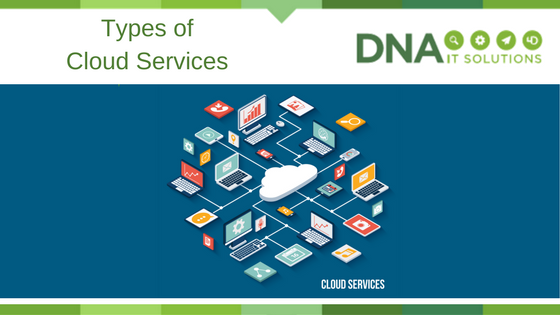
Different types of cloud services

Types of cloud services DNA IT

The many benefits of cloud computing have been discussed in depth and are rarely disputed.

With a lower cost, more flexibility, productivity and layers of security it is the obvious choice for most businesses.  However, there are several types of cloud services and knowing what is available can help you make better decisions on what you need.

The cloud computing stack

The national institute of standards and technology defines cloud computing as a model which enables useful, on-demand network access to a shared configurable resources (networks, storage, servers, services, and applications) which can be quickly implemented and released with minimum effort.  Here we look at the main elements of the cloud computing, often called ‘stack’ as they often build on top of each other to form solutions.

Cloud stack DNA IT

Software as a service (SaaS)

This is the term for software applications that are hosted in the cloud and make available to users over the internet. Usually they are on demand and come with a subscription cost.  Microsoft Office 365 is a perfect example but there are many others.  Cloud providers host and manage the software application which means that they look after upgrades and security issues.

When it comes to cloud we also need to evaluate the different options available be it public, private or hybrid.   Not all options are the same and making the correct decision for a business without advice can be difficult.

Platform as a service (PaaS)

This is a suite of services that are offered to make coding, developing, testing and deploying of applications easier in the cloud.  It is designed to make this process easier and quicker to create without having the concerns around managing infrastructures such as storage, databases or servers.

Infrastructure as a service (IaaS)

This is the one we may be more familiar with and the main foundations of the cloud.  It is the software and hardware used to create the cloud offering that an organisation will rent.  It will be the servers, storage, operating systems, virtual machines that the cloud provider puts in place so you can avail of cloud on a pay as you go basis.

Public cloud

Public cloud would be the most common option as it has all the benefits and is easily accessible by any business.  Microsoft Azure is an example of a public cloud.  They own and manage the computing resource and offer storage over the internet on a pay as you go basis.

Private cloud

Sometimes an organisation will require dedicated storage space, particularly when it comes to enterprise organisations.  IBM Bluemix offer such a service and will assign a particular area of the network exclusively for their use.

Hybrid cloud

Hybrid Cloud is a mix of cloud and onsite infrastructure.  For a variety of reasons this solution can be the best option when it comes to greater flexibility and deployment within the business.

Whatever options you decide are right for you ensure you are well informed.  A conversation with a cloud expert can reap rewards for the future and the team at DNA IT Solutions are available to take a look at your business and advise you accordingly.

Managed IT as a service

Managed IT Services DNA IT

What are Managed IT services?

If you’re running your own business, unless you are an IT specialist, you just want your systems to work. You need them to be almost invisible, running in the background, and unnoticeable because they just do everything you want them to do, smoothly and without interruption.

And that is what well-managed IT services can bring to your business. You don’t need to worry about backup, security, recovery and storage, or if you will have enough memory to run the software you need. Everything is taken care of for you, while you focus on doing the things you are good at and building your business.

Why use managed IT services?

  • To create a truly high-end IT system for your business, you could pay a lot of money to buy in the systems you need, and one or more full-time salaries for people to manage it. With outside managed IT, from a reputable, high quality IT service provider, you’ll save money on systems, and reduce costs again as you don’t have to pay full-time salaries and benefits, pensions tax and insurance in addition.
  • Managing your own IT takes your focus away from what you actually do as a business. You have to take the time to have meetings about it, to manage the staff who run your IT systems, and that’s all time that you could be using to move your business forward and increase your profits.
  • You are paying for high-end expertise covering a variety of skills, as and when you need them, rather than having to pay many staff salaries to get the same result.
  • With managed IT services, everything is smoothly run and managed, all in one place by one company, rather than you trying to manage many different systems and options and make them all work together.
  • A fully managed service is flexible, and can easily grow and expand as your business does. Need more storage space? With cloud storage, that’s no problem.A great managed IT service gives you complete peace of mind that your system is always being protected and monitored for potential threats, and that your system is fully optimised for success.
     
    DNA IT Solutions can provide a full managed service for all your IT needs, with expert advice and guidance to ensure your system always supports your business and grows as you do.  Why not contact us on 01 6510 300 for an expert consultation?

What is malware and ransomware, and how can I protect against it?

Cyber security DNA IT

PCs and mobile devices are all at risk from malware. That is the generic term for any program, OS update, email attachment or rogue website that can cause harm to business PCs and the data stored on them. Ransomware is rapidly becoming the most prevalent form of malware. This type of threat locks away the company’s data, and the owners often are forced to pay a ransom, usually in the electronic Bitcoin currency, to restore their files, unless they make very regular backups.

A complete security solution

To defend against these threats, your company needs more than a consumer-level firewall or antivirus software protecting its systems. Instead, a well-rounded approach is required to ensure that all systems are using the latest operating systems and are automatically updated with the latest patches to prevent an attack.

This is because many new types of malware can access “backdoors” into computers that the U.S. government have been using to spy on their enemies, until information about all these backdoors was leaked. Now any cyber criminal can launch a hacking campaign using these tools, and while most operating systems have been patched to protect against them, if your company’s systems are not up to date, they are not protected.

Sophos Security

On the network side, your business needs to scan all data coming into its computers across the Internet, on memory sticks, or in emails. Virus software needs to be updated daily with the latest list of threats. Sophos is our choice of security vendor and its endpoint solutions are smart and can detect malware before it has even been categorised by other anti-virus software.

Security solutions made for your business

With many businesses growing fast, it is hard for them to spare the resources for an IT security expert, so relying on outside help from a company like DNA IT Solutions is an ideal option. This allows you to concentrate on your business and let us worry about the threats that lurk online. These aren’t targeting your business specifically, but they spread so wide, fast and randomly that it is easy for any company to be caught in their net. With all-round IT security protection, you can be sure that your business is best protected, and your data – which is essential for day-to-day operations – will be safe.

The main benefits of Cloud Computing

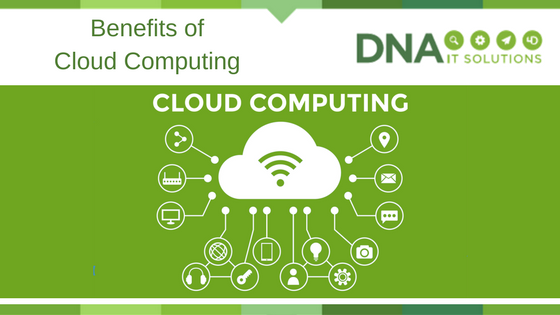
Benefits of Cloud Computing DNA IT

Cloud computing has many benefits for business today.

The flexibility it brings means that services can be scaled to fit individual organisation needs.  Applications can be customised and the many cloud services available can be accessed from anywhere in the world once there is access to the internet.

Here are some of the main benefits of cloud computing

  1. Speed

Cloud computing services are designed in a way to be accessed on demand meaning that users can get applications to the market quickly.  There are no concerns about infrastructure installations and the associated wait time that would come with that.  With the huge resources available and by using the right provider, cloud services can be increased in a short period of time, sometimes even minutes.  This flexibility and ease of access can increase opportunities for many organisations.

  1. Cost

As cloud computing is a shared resource that already exists, it is waiting for organisations to access it.  The alternative is investing in expensive hardware such as internal servers and the associated facilities that go with them.  The cloud is there waiting to be accessed and at a much lower cost and with greater flexibility to meet budgets at a monthly cost without depreciation or the worry of unexpected maintenance costs.

  1. Scale

Having the ability to scale up or down as the market dictates is a great advantage.   You pay for what you use, when you use it rather than having too much capacity at certain times.  It is so scalable that extra resources can be switched on quickly to complete projects and then reduced when not needed.  This controls costs of cloud storage or power over the financial year.

  1. Security

With more organisations than ever entrusting their data to the cloud network it is vital that data remains secure at all times.   Cloud makes perfect sense when it comes to disaster recovery planning.  Holding backups off site will make business continuity possible in the event of something happening.  Having security options that are designed to be used in conjunction with the cloud will also heighten protection for organisations.


  1. Performance

With advances in cloud storage in recent years the global network of data centres are known to be fast and secure.   As these centres are maintained at the highest levels with assurances that hardware is the latest version and all necessary software will be upgraded regularly.   Compared to on site servers where IT teams must individually look at each element maintaining it with budget constraints.  Resulting in less IT issues and a better performance

These are only some of the more obvious benefits of cloud computing.  There are many options to suit different size companies and sectors.  To find out how cloud computing may fit into your business plans contact one of the team at DNA IT Solutions.  We can explain how you can successfully transition to the cloud in a cost effective and future proofing way.

Deciding on the Right IT partner

Right IT partner DNA IT

When it comes to deciding who to pick as your managed service provider (MSP) you want to make sure that you make the right decision.

All types of Irish businesses are turning to managed IT service providers to assist them with their IT needs.  Manufacturers, financial services, distribution companies, in fact most industries are so reliant on their IT systems to function that they recognise the need to protect themselves.  They also recognise the cost savings involved with having the right partner providing the right services.

Reasons to engage an MSP

Security can be high on the agenda when it comes to engaging a MSP, as can IT support, back up, monitoring and transitioning to the cloud.  But a MSP will provide even more services than just ‘fixing a computer’.  The right provider will be a one stop shop that will help your business function today and plan for your expansion tomorrow.

So, how do you pick the right partner?  While many will offer similar products, not all providers are equal.  If you recognise the following traits in your potential new MSP then you might want to sign up immediately.

They ‘ASK’ rather than ‘TELL’

A good provider will have a look at the systems and software you already have in place and ask you about your business objectives.  Only when they know what your plans are will they be able to guide you in the right direction so your IT infrastructure can support you.  Others may come and tell you what you need and try to enforce a one size fits all option, be wary of these.

They will have a Team

When you need help, support or advice you need to be able to access your provider immediately.  The days of the one-man show are numbered in this industry.  A reputable MSP will have built up a team of experts who have experience in many areas and industries.  You need access to service every working day – not when somebody can fit you in.  When you can access a pool of different skill sets is can allow you to operate on the same level with companies 10 times your size.

Their focus will be on you

When a MSP has similar clients to you then will know your needs even before you realise them yourself.   They may seem to anticipate your next move, that is because they have the experience of other similar clients.  They will focus on you because they want to be your partner for the long term.  They will want to work with you, not for you.

It’s not always only about price, it is about finding the right fit for your business.  Somebody that is big enough to have the capabilities to provide you with the most up to date technology and skills.  However, small enough to be agile in their work practices and to offer individual customer care.

We here at DNA IT Solutions believe we could be the ideal managed IT service provider for you.  Give us a call today to discuss your needs and maybe we would be the right partner you have been searching for.

Do you have a disaster recovery plan?

Disaster Recovery Plan DNA IT

Disasters can and do happen. Cyber attacks, natural disasters, and system failures are just a few of the uncontrollable events that could potentially harm your company. Regardless of the size of your business, a physical or technological disaster could result in a significant financial loss. However, although disasters are not always preventable, it is possible to minimise their impact.

In the event of a disaster, a recovery plan will enable you to minimise downtime and reassure your customers. Here are three reasons why every company should implement one now:

1. Reduce the impact of natural disasters

Floods, hurricanes, blizzards, earthquakes, and other natural disasters are difficult to predict and almost impossible to control. Such disasters can result in significant downtime for businesses. You may lose access to phone lines, to customer files, and even to your office. Without a predetermined disaster recovery plan, you risk damaging the health of your company.

2. Protect against the effects of cyber attacks

As more and more companies move into the digital space, the likelihood of getting hacked continues to increase. Small businesses, in particular, can appear vulnerable to cyber criminals. If your company is hacked, it may result in data loss or customer details being compromised. A cyber attack could, therefore, cause significant damage to your company’s reputation.

3. Human error

People make mistakes. Unfortunately, a single error can sometimes result in the loss of data or a major product flaw. Of course, one of the best ways to minimise human error is to train your employees to a high standard. But it’s also important to be prepared by having a disaster recovery system.

Putting a disaster recovery plan in place is one of the most important steps a company can take. A thorough plan ensures that you will have no unnecessary downtime after a disaster and that you will continue to have access to data. A company like DNA IT Solutions will help you to create an appropriate disaster recovery system and can also help you implement it if necessary. Preparing a thorough recovery plan is an investment for the future health of your business

What is cloud computing?

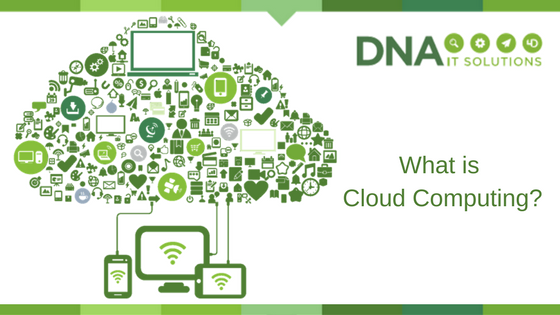
What is Cloud computing DNA IT

Cloud computing enables organisations of any size and in any sector to run modern IT solutions with the minimum of fuss and no expert knowledge required in-house.

What is cloud computing?

In reality, ‘in the cloud’ simply means via the internet. All the valuable IT resources you may need to operate your business are provided to you, often on a self-service basis as needs arise. There isn’t the need for that expensive kit physically on-site taking up precious space in your office. Instead, they are located securely in remote locations, overseen by expert IT professionals such as those at DNA IT Solutions, who provide all the support and know how you would expect from your own internal IT department.

As an analogy, you will have seen many of the safe and secure self-storage warehouses where you can store belongings when you don’t have space at home. You still have 24 hour access to them, they are still yours but they are stored and protected probably even more securely than in your own home. Cloud computing provides the same and more for your IT needs.

The flexibility of cloud storage

Cloud computing however, is not just about hardware such as servers and back-up drives. The Cloud now also applies to software, data protection, disaster recovery, and even telephony. Everything a modern business needs to succeed and stay ahead of competitors can be supported via cloud computing, with cloud solutions also often working more seamlessly together than an ad-hoc traditional IT solution that has been built over the years. Choosing cloud computing makes your IT systems more dynamic, more cutting edge and more reactive to change where required. For example, if you suddenly need additional Terabytes of storage to perhaps cover a new short-term project, a cloud storage solution provides instantaneous additional space with the minimum amount of hassle, and once no longer needed can be switched off again. There’s no need to buy an additional drive, fit it and configure it to your existing system. Cloud storage is instant and flexible.

Security and access

By using a trusted and proven cloud provider like DNA IT Solutions, you also get the peace of mind that your IT infrastructure is always on, automatically upgrading to combat the latest threats and running safely and smoothly every day so you can concentrate on running the other elements of your business.

The modern office – is it an office at all?

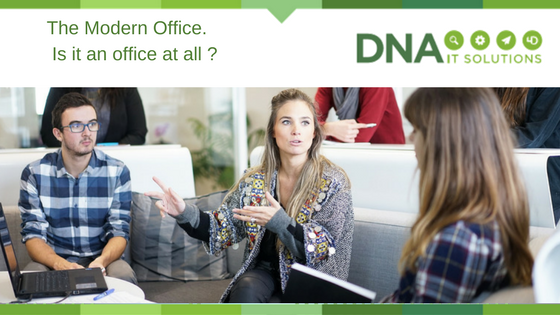
Modern Office DNA IT

“A room or part of a building in which people work, especially sitting at tables with computers, phones, etc., usually as a part of a business or other organisation”, at least that’s what ‘office’ is described as in the Cambridge Dictionary. The reality of today’s office is very different of course, with agile and fluid working practices meaning modern organisations look very different in terms of how they work as well as where they work. Is your office keeping up with the times? Delve in and discover the modern office.

Hot-desking, home working and the end of desktops

Long gone are the days where we need to be at our desks in order to work. Laptops, tablets and mobile phones make it possible to work anywhere, leading to a rise in home and flexible working. With fewer people in the office at a given time, hot desking is becoming more popular, while some businesses don’t have a fixed base at all.

Connected working through the cloud

IT hardware is expensive to purchase, maintain and upgrade. Storing data on expensive, heat generating servers is now outdated as more companies move towards cloud networking and storage. Through cloud connectivity, workers can work on projects anywhere in the world, accessing key files and making real-time changes that are making us more productive than ever.

With increased power comes great responsibility

The modern office environment is great, but poses a risk in terms of data protection and security – businesses who operate online and out of the office are at a greater risk of data threats. Unsecured servers, malware emails and other security risks can all have serious consequences for your business.

How to move forward towards the modern office

With more and more businesses moving towards the cloud and more modern ways of working, it’ll be vital that your own organisation keeps up the pace. A trusted technology solutions company can help you to make the transition with ease, taking care of setup and installation as well as managing your service and providing ongoing support. A managed service can benefit businesses of all sizes, making sure your technology moves forward with you.

Get in touch with us at DNA IT Solutions for more information on transforming your technology to adapt to the modern office