Blog - Page 7 of 13 - DNA IT Solutions

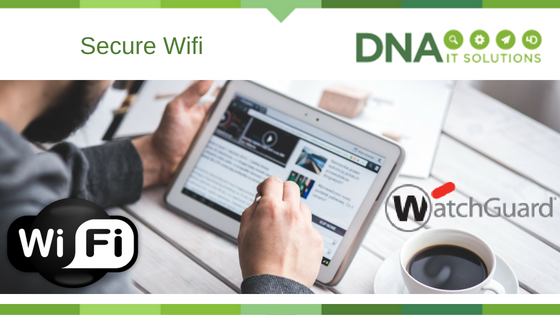
Secure Wi-Fi with WatchGuard

Secure Wifi watchguard DNA IT Solutions

In this rapid-paced modern age of constant connectivity, Wi-Fi internet is an absolute must if you want to run an efficient and effective business.

Secure Network

However, speed is not the only quality to look for when selecting a Wi-Fi provider; you must also consider how secure your network is and also look for other helpful features that you can use to take your business to the next level. That’s where WatchGuard comes in.

WatchGuard utilizes a patented security system for their Wi-Fi services. Known as WIPS (which is short for Wireless Intrusion Prevention System), this security is excellent when it comes to defending your network from access attempts by unauthorised devices, intrusions, and even malicious attacks (such as denial-of-service attacks). WIPS can also help to protect and prevent rogue APs (also known as rogue access points), which can compromise the integrity of your network.

Access for Guests

But wireless security isn’t the only benefit you get when you choose WatchGuard. You will also be able to set up Wi-Fi access for your guests that is customised according to your needs and desires. Guest usernames and passwords can be created as needed or in advance with minimal hassle.

You can even integrate your guest Wi-Fi with social media sites (such as Facebook, Twitter, and Instagram) in order to allow your guests to sign in using those social media log-ins. Furthermore, you can utilise your guest Wi-Fi as a means of additional advertising by incorporating stylish landing pages featuring your company’s products and services.

You will also be able to utilise WatchGuard’s Cloud service, which allows you to access your network and files from multiple access points should you need to do so. You can also customise your Cloud grouping according to your needs; you can have it for one floor of your building, or one specific department, and so on.

Reporting Features

WatchGuard also comes with customisable usage reports that keep you up to date on how your network is functioning. These report can tell you critical information such as bandwidth consumption, application visibility, signal strength, signal coverage, and RF performance.

There are also Analytics tools that can help you to track site usage (such as which sites received more traffic or how many devices logged in during a certain period of time). Ultimately, if you’re looking for an excellent service that can provide you with an effective and secure Wi-Fi network while also offering a great selection of other useful features, WatchGuard is a great option to consider.

For more information on this product you can speak with the expert team at DNA IT Solutions.


Advice on making the move to the cloud

Advice on moving to the Cloud DNA IT Solutions

When you hear about the many benefits of moving your business to the cloud it will be no surprise that you may want to get on the project immediately.  However, before you make that final decision you may want to consider your options and look at all the pros and cons.   Sometimes when the concept becomes over complicated it can create barriers that may prevent you moving forward.  A little time spent in consideration of the strategy will be time well spent

Cloud is an opportunity

Here is some basic advice on what to think about while making your decision to start your journey to the cloud;

Don’t get too enthusiastic – Think about what you actually need and what you can you manage.  Maybe you don’t need enterprise level solutions at this stage.  Choose a suitable platform for your business and only buy what you need.  Having too much to handle will only cause problems.

Make a Plan – Ensure it’s a good plan and endeavor to stick to it.  A plan will let you get the work done in time and on budget.  Choose who will manage the project and take responsibility to lead the team with encouragement.  Achieving the objectives will be the reward.

Watch the Costs – Make sure you look at all the costs involved and decide if they fit in your budget.  You will want to compare with what you previously had.  If you are spending more, then justify it with showing what are you going to achieve in the long term.

Reliable and Secure – Are you sure you totally depend on your new technology infrastructure?  It must be reliable with methods in place to prevent outages and fit into your disaster recovery planning.  It must be secure and while cloud will have its own security layers, you will have to implement and handle security aspects relating your data.

Be Ready – Your legacy systems may not initially suit the newer cloud offerings so you may need a hybrid system for now.  You can have short term and medium term plans to suit your migration to the cloud.  It does not have to be all or nothing in the start.

These are only a few considerations for your business when it decides to move to the cloud.  At DNA IT solutions we assist companies just like yours to move seamlessly to the cloud every day of the week.  For more advice, you can speak to our team.


Think before you click

Think before you click DNA IT Solutions

Cyber criminals will use something very interesting to grab your attention.

It might be a sensational news story, some shocking photos or an interesting video.  All designed to encourage you to click to see more but when you do – that’s where the fun ends.

What is Phishing?

Phishing is the process of tricking people out of information, often by getting you to respond to an email. It is usually for theft or fraud purposes.  You may think that you would be clever enough never to get caught but you should think again.  The emails are getting more sophisticated and with the technology available globally today it does not take much to trick somebody.

How do you combat phishing?

Here are our top tips to help you avoid getting caught out.   They may seem pretty obvious but we know smart people who just didn’t think and have lived to regret it.

• Trust your instincts if an email looks suspicious. Report and delete it.
• Watch out for poor grammar, bad spelling or a sense of extreme urgency. They can indicate a phishing email.
• Requests for personal information by email should always make you suspicious. Your trusted companies wouldn’t ask you to verify data in this way.
• Look for subtler approaches to capture information such as login details, including emails which bait you onto fake web pages.
• If you receive an email from a familiar sender but it is unexpected or raises concerns, ring them to verify it.
• Never click on a link in an email. Re-type the URL into a browser.
• Be wary of attachments. Always check with the sender before downloading.
• Be vigilant, and think before you click.

Some of your friends or colleagues will have been a victim of phishing, it is very prevalent.   We know that because we have heard the stories and in some cases had to fix the problems caused.  They are too embarrassed to admit they were caught out, who can blame them.  Don’t be the next victim – think before you click.


Watch our video to find out more.

What makes a Help Desk excellent?

A Great Help Desk DNA IT Solutions

When your screen is frozen, when your folder doesn’t show the files that should be there, when your PC just goes kaput!  You are about to cry or scream… wait, take a deep breath and ring the help desk.

It’s always great to have an expert to hand to solve the big (and not so big) issues that can occur day to day in your working day.  It’s important that those we rely on are fit for the job, so here is what we value when it comes to Help Desk Service.

A quick response

We want somebody that is there when we need them, at the end of a phone or a quick reply by email.  We want to be able to speak to somebody on a level that we understand that is not too technical.  We want them to get to the heart of the problem and take the stress away.   They should take the time to find out what is wrong but also get it solved quickly.   A group of technicians that are able to work on your issue, no matter who picks up the phone.  Most of all we want to feel they have a genuine want to give good customer service and get us back up and running.

Good processes

If there is a ticket system, then we want it answered efficiently.  We want knowledgeable staff that are able to access our history and records if it is an ongoing issue.   They should have good diagnosis skills to tell us how long it will take to resolve the issue.  There should be a system for escalating more complex problems up but with good communication to let us know what is happening and the time scale involved.

Escalated issues that require higher technical abilities should have their own process and group of engineers. When the service desk is closed we want to know how to contact after hours support and that should be clear, and easy to do.

Technical skills

We want to feel that they know a lot about the basic common issues and are knowledgeable about our software and hardware.  We expect them to have all necessary qualifications and training that is up to date.  Really we want them to be able to know what to do and access the vendors on our behalf if required.   They should be able to understand logs and know what they should be looking for.

Customer service

We expect the help desk to know how to communicate with us as a customer and anticipate our frustration.  They should be able to efficiently get the issue solved, knowing when to solve it now, or escalate to another engineer that needs to go onsite.   Staff that are motivated and productive will be evident during the call and throughout the experience.   Those that can communicate well and take an interest in the customer will be the shining stars of the company.

In general, the help desk staff are the ones that interact with the customer the most, that is why they are vital to the blood of the IT managed service provider.  A slip up on this desk could lead to a lost contract, so it’s important to get it right.  Well trained, experienced and happy staff that treat customers well are the best assets they could have.

The IT service desk should be there, ready to react when you need them and allowing you to get back to building your business.

What is Managed Print Services?

Managed Print Services DNA IT Solutions

You may have heard the term ‘Managed Print Services’ and you could be curious to know how it would improve your business.

Managed Print Service is a way of gaining visibility and taking control of your printing which in turn can help you create efficiency and in turn save money.

Saving Money

Appointing a company to manage all aspects of the printing needs for your business can not only save money but can make life easier in many ways. They will start with assessing the equipment you already have to see if it can be optimised in any way.  They look at your history and your goals to create the right plan which will remove inefficient devices and replace them with ones better suited.

An experience provider will know what will suit your business based on its size and the nature of the business.  Knowing the right level and the right product for you to ensure it fits within your budget.

Networked equipment

Local printers are less efficient as they only service one user.  They are costly to use and service so a move to a networked printer that can be used by many makes sense.  This placed in a great position in the office so all can use will make it easy to access, improving workflow and result in maximising the usage of the device.

Photocopiers is another area where costs can be reduced.  Giving each employee a PIN to use the machine will make it easy to monitor use by department.  By monitoring devices, your provider can automatically order cartridges so they do not run out.  You know, it always happens at crucial times and you cannot afford any unnecessary downtime.

One vendor

Moving this onto a vendor that already looks after your IT means one less vendor to manage.  There will be cost savings due to scale and no nasty surprises as maintenance costs are all built in.   Your provider will ensure help is to hand when you need it via their helpdesk.  Any training or servicing will be done quickly.

Quality equipment will make it less likely to experience breakdowns and give top quality copies consistently.  Newer equipment will also allow remote printing for staff that want to print remotely away from the office.  The beauty of having an expert providing managed print services means that all systems are designed bespoke for your business.

Maybe it is time you considered moving to a managed print service provider to save you time and reduce the pressures on your business.

The Business Challenges of Moving to the Cloud

Business Challenge of the Cloud DNA IT Solutions

It is estimated that over 75% of Irish businesses are deploying cloud technology, with many already planning to increase their deployment in the coming years.

Cloud computing platforms and technologies are advancing rapidly and it can be difficult to keep up to date.  Many already know about the many benefits of cloud such as scalability, cost effectiveness and added efficiency.  Add to that the many options such as public, private or hybrid cloud and there really is something to suit every business.

We look at the challenges that a business might consider when making the decision to start their journey to the cloud.

The Challenges to moving operations to the cloud:

Not knowing where to start –  It will seem like an overwhelming project at the initial stages.  In many cases this will deter some, while others might delay and miss out.  It is time to be brave and find out as much information as you can before you make any decisions.

Worrying about getting it right – It is important to ensure you are selecting the right platform.  Not all cloud is the same, public cloud may be the right place for you as a smaller business.  However, depending on your industry regulations you may require private cloud.  Getting it right for your own business needs is important.

Fear of new processes – Most of us do not like change.  Moving to cloud will create changes to the way the business will operate.  There may be difficulties getting the team on board, some will be resistant to change.  The timeline will be a concern to some and having the management confident in the decision they are making will make the transition easier.

Not having a strategy – When you know why you are making the move to the cloud and you have your objectives defined you can create a clear strategy.  Is it for better performance or reducing costs?  A significant change like this needs a clear strategy so you want to know why you are doing it in the first place.

Concerns about security – With so much ‘fake news’ regarding how safe the cloud is, it is no wonder that those not familiar with it will worry about the safety of their data.  Your cloud provider will give you all the reassurance you need.  With thousands of organisations having made this journey before you, you can have peace of mind.

The time it will take – Concerned with the amount of time this project will take?  Finding out the real facts will give you a clear timeline from planning to implementation.  Time is money and downtime is not something any business wants.   The transition should be clearly defined and measured.

While all these challenges will naturally occur to any business decision maker, they should not be concerning enough to stop considering the cloud for business.  With the right experienced partner leading the way, your journey to the cloud should be a success story.

DNA IT Solutions help businesses like yours every day of the week to transition to the cloud.  We create bespoke project plans for businesses of all sizes in many sectors.  You can speak with our team of experts for more information.

4 Major Information Security Threats for Business Today

4 information security threats DNA IT Solutions

There are many opportunities for businesses today.  With the economy thriving and disposable incomes increasing we see success at every corner.  However, where you see opportunities you will also see threats.

There will always be the threat from a new competitor or the threat of losing a customer and these are hard to control   However, when it comes to IT Security threats there are quite a few things you can do to protect your business.

Here we look at the 4 biggest information security threats for businesses today:

Cyber Attack

Many smaller businesses will not have a formal IT expert or department and will not have the knowledge to put in place even basic internet security measures.  The cybercriminal will know this and this vulnerability leaves many Irish companies open to attack.  An easy target will be what they will look for.   The cost of an attack can not only cost a significant amount of money; in certain circumstances it could close a business down.  Having the right layers of security for your business will in many cases prevent the attack and at worst, will get you back up and running should it occur.

Data Breach

With more information being held and processed than ever before it’s no wonder that GDPR was introduced recently.   Having your company and client information secure is now not only important – it is law.  A data breach can occur during an attack but in many cases it will be simple human error by a staff member.  No matter how it occurs it can lead to issues costing time and money.  The right technology and systems in place will make this occurrence less likely to happen, giving management peace of mind day to day.

Mobile Devices

Very few employees sit at a PC from nine until five each day.  With the modern mobile office, we are often checking emails on our phone, inputting information into a tablet to transmit back to the office or even working on our laptops in hotels and airports while on the move.  Again this leads to vulnerabilities if the correct security systems are not in place.  Encryption and other forms of security measures will protect users, devices, network and data.  Allowing the team to work freely and be more effective than before.

Natural Disruption

Taking away threats from those horrible hackers, we must then consider the real world.  Natural disasters can be every bit as devastating and hard to predict for business owners.   When storms happen then power can go out.  We have no control over the weather but we can put in place systems to ensure workers can still continue and data is not lost.   When technology is not enabling you to get your work done it will be frustrating at the least and affect the overall revenue of the business at worst.

No matter what the threat to your business is, once you recognise it and put in place some plans to minimise the risk then you are doing all you can.  When it comes to IT threats you need to speak to an expert team so call us today to see how we can minimise your threats and let you raise your opportunities.

What is Sharepoint?

what is sharepoint DNA IT Solutions

What actually is SharePoint and how can it work for your business?

That’s a question we are often asked by businesses in all sectors and of all sizes.  It’s certainly a great tool for business today and it is surprising how many people don’t know about it.

SharePoint for Business

SharePoint is a web based platform that seamlessly integrates with Office.  Essentially it is a document management and storage system that is used by thousands of businesses around the world.  It’s not a single software program but rather somewhere where several programs can run to make up a solution for business.

The beauty of SharePoint is that it can be made just for you.  It can be configured to suit smaller or larger organisations easily.  It’s built to suit the business needs of that particular organisation.

Collaboration

With SharePoint one can share files and information with others.  This makes the data easy to find and manage, saving time and headaches.  By allowing easy collaboration within the organisation it leads to efficiencies.  You can share your files wherever you might be and with the fluid way we work today that is a great benefit.

Update your files from the home office and share with others outside the organisation if you wish.  All in a secure platform that will be familiar even to those without advanced IT skills.

OneDrive

OneDrive integrates with Office and you can track the history of activities.  Again the ability to access the files securely is a great benefit.  However, by using SharePoint it allows more advanced collaboration with teams.

There are so many benefits.  Sharing information in an efficient easy to use platform will help engage the team.  Sharing resources on portals that are secure will keep management happy.  Productivity is increased as you gather and manage data and files.  Tasks are managed and data is modified.

There are lots of activities you can monitor within the platform.  Notifications and approvals, workflows, lists, library, forms and custom apps for mobile devices, the list goes on.  Deployed on the network as a collection of intranet sites, it lets each department control its own data while letting them collaborate when required.  All accessible through a url that can be accessed wherever you are with internet access.

So now you know what SharePoint is, don’t you think it is time you considered it for your business?


Why Web Security is High on the Agenda for Irish SMEs

Web Security Fusemail DNA IT

The management team of any SME should understand the value of reducing the risks associated with web security.

Any negative impact on your IT security could produce significant business losses.  It may be time to look at what you are currently doing to protect your network and see what improvements need to be made.

Everybody is online now, if you are visible then you are vulnerable.  All businesses will have data, email systems and file networks that are vital to the everyday operation and therefore open to attack.  It’s not just the loss of data, but the resulting loss in reputation, damage and loss of business that will cause concern.

How vulnerable is your business?

Outdated software and systems will leave you vulnerable to attack.  There should be patch management on every piece of software on all your company computers.  In 2017 wannacry attack exploited out of date software on pcs and caused mayhem throughout the world.    This could happen to any company that is not current with their updates.

Not completing network backups regularly is another dangerous game.  If your systems just disappeared overnight how would you recover them?  If they are not backed up regularly, you may lose weeks or months’ worth of information.

Are your employees up to date with IT security protocols?  Phishing emails and other threats are sent everyday around the world.  Will they know what not to click on?  Don’t assume that they all know, a bit of education on the threats will go along way. One click can result in disaster so put another layer of security in before it can be clicked.

Web Security

Web security needs to become as important as email security and anti-virus, as all three work hand in hand to protect organisations against online threats.  With web security there would be automatically scanning for threats to help avoid disaster.  Restricting access for staff for websites that might cause issues with data loss is important.  Analysing emails that may have a risk of carrying ransomware, looking at downloadable content away from your system, just in case it is unsafe.

DNA IT Solutions offer Fusemail as part of our IT Security offering.  We like it as we can build to suit your needs.  It helps protect your organisation from web-based threats, controls internet browsing and enforces web usage policies to users.

FuseMail enables businesses around the world to communicate with confidence every day. The cloud based services provide simple, secure, and scalable solutions for email security, spam/virus filtering, archiving, encryption, web security and email hosting.

Talk to DNA IT Solutions about FuseMail and let us help protect your business from harmful risks.


Paying too much for storage?

Paying too much for storage_ DNA IT Solutions

Are you old enough to remember cassette tapes in cars?  Or renting out a VHS tape from the video shop in the town?  If you are not, ask your dad!  There’s a reason the younger generation will laugh at the idea of tapes with the technology that is around today.

Tape Backup

There are still many businesses that will do a tape backup when it comes copying data. Tape backup involves copying data from a primary storage device and storing it on a cartridge.  These tapes are then placed in a safe place and can be used should there be a system failure or loss of information.  Many are done manually and can involve arranging downtime while the backup is being done.

Costs

While this might be a fine solution for smaller business, many others are moving away from tape management for a variety of reasons.  The high volume of data generated means it is becoming more cumbersome and time consuming to use this method.  The option of cloud storage is becoming more and more attractive.  This is an option which is relatively low cost and highly scalable which is a very attractive combination.  The added benefit of being easy to change to this method and integrate into the existing system is welcome.

Data Storage

Keeping data for 90 days should be the norm and anything older than this should be archived.  Using short term storage for old information is a waste of resources.  Long term archive storage is cost effective and ideal for data that has to be kept for many years such as patient data.   If you use short term storage for everything it is costing you too much money.  Cloud storage is limitless and cost effective in comparison.

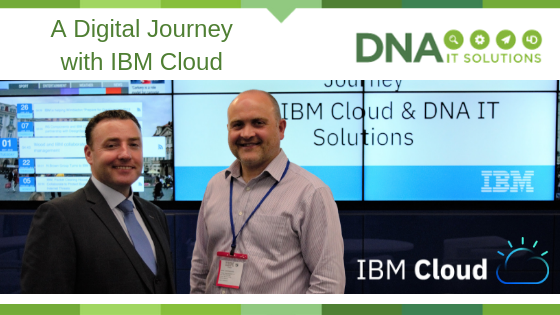
Cloud object storage allows the storage of data sources such as video, audio, mri scans, xray files, all of which can be archived.   All this flexibility and endless storage options are why many organisations are making that move towards cloud storage.

IBM Cloud Object Storage is an unstructured data storage service designed for durability, resiliency and security. Get your data to the cloud faster, analyse it in place and archive it for less.  For more information on IBM Cloud you can speak with DNA IT Solutions.  As a cloud partner with IBM we can offer tailor made solutions for your business.