 Skip to content

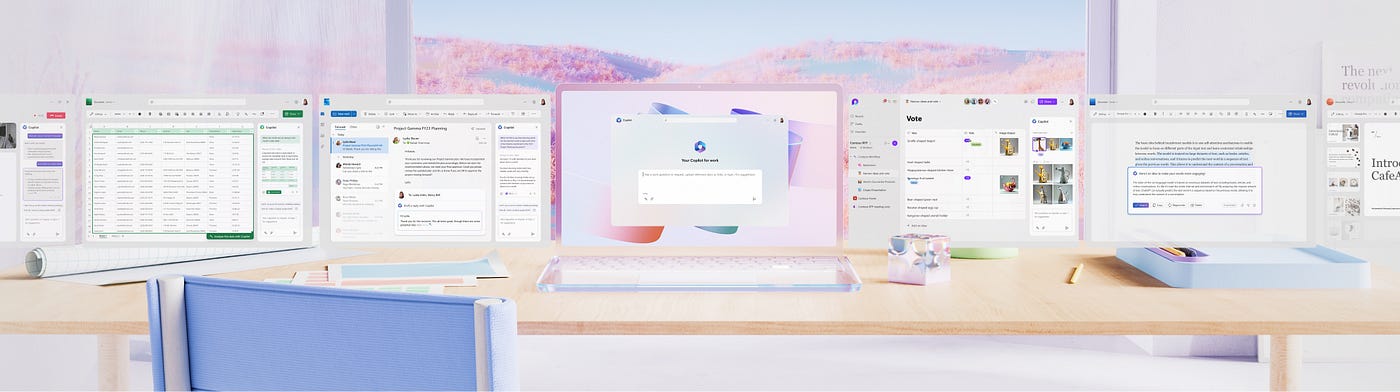
Microsoft is revolutionizing productivity and collaboration with its groundbreaking AI assistant, Microsoft Copilot.
Designed as an everyday AI companion, Copilot integrates seamlessly into Microsoft 365 applications, Windows, Edge, offering unprecedented functionality to businesses and individuals alike. With the imminent advancements in AI and workplace technology, understanding what Copilot can do and how it can benefit your organization is essential.
At its core, Copilot is a conversational AI interface powered by generative AI technologies from OpenAI, including GPT-4 and DALL-E. It allows users to interact with their devices in intuitive ways, whether by generating text, summarizing content, automating tasks, or even creating images based on prompts. Let’s explore how Copilot is shaping the modern workplace, why organizations should adopt it, and how DNA IT Solutions can help implement it effectively.
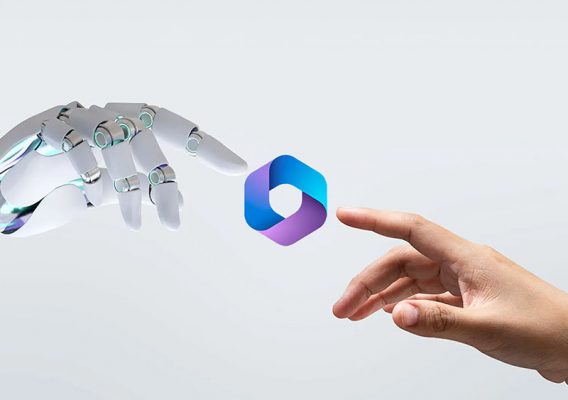
What Can Microsoft Copilot Do?
Microsoft Copilot is designed to make work more efficient by acting as an intelligent assistant that simplifies complex tasks.
- Enhanced Communication and Content Creation:
With Copilot, you can draft emails, summarize lengthy documents, or even generate creative content like proposals and presentations. For example, you can instruct Copilot to “summarize this report in three points,” and it will quickly deliver a concise summary. - Seamless Integration Across Platforms:
Copilot is integrated into Microsoft 365 apps, including Word, Excel, Teams, PowerPoint, and Outlook. Businesses that adopt Microsoft 365 can even ground Copilot’s responses with their proprietary data, meaning it can provide tailored insights based on internal communications, documents, and team conversations. - Task Automation and Workflow Optimization:
Copilot can automate repetitive tasks, such as scheduling meetings, organizing data in Excel, or even modifying Windows settings like enabling Do Not Disturb mode. This frees up valuable time, allowing users to focus on strategic work. - Visual and Creative Capabilities:
The AI assistant can also generate images based on user prompts and customize branding visuals for organizations. This feature is particularly useful for marketing teams that need creative assets on demand. - Data-Driven Insights:
Using its advanced AI capabilities, Copilot can analyse data to generate actionable insights. Whether it’s creating charts in Excel or delivering data summaries, Copilot empowers decision-making with clarity and speed.
Why Microsoft Copilot Is a Game-Changer
Copilot stands out from other generative AI tools due to its deep integration with the Microsoft ecosystem and a focus on enterprise-grade security and compliance.

Privacy and Data Security
Organizations using Microsoft 365 can trust Copilot to keep their data secure. Customer data is not used to train the AI model, and Microsoft follows strict Responsible AI Standards to ensure transparency, accountability, and safety.

Tailored for Business Needs
Copilot Pro and Enterprise options allow businesses to ground AI responses in their data, delivering personalized solutions that cater to their unique requirements. Whether it’s customer service, sales automation, or team collaboration, Copilot offers bespoke functionality for various industries.

Cost-Effective Efficiency
By automating repetitive tasks, Copilot reduces operational overhead and enhances productivity. Teams can achieve more in less time, making it an essential tool for modern businesses.

- Expert Consultation and Strategy:
DNA IT Solutions works with you to understand your business goals and tailor Microsoft Copilot to meet your specific needs. Whether you’re looking to streamline operations, enhance collaboration, or improve data analysis, we design a strategy that aligns with your objectives. - Seamless Integration:
Our team of certified professionals ensures that Copilot is seamlessly integrated into your existing Microsoft 365 environment. We handle everything from configuration to deployment, ensuring minimal disruption to your operations. - Training and Support:
We provide comprehensive training for your team to maximize Copilot’s potential. From showing employees how to draft emails and automate workflows to leveraging advanced features like AI-driven insights, DNA IT ensures your team is confident in using this powerful tool. - Ongoing Maintenance and Optimization:
As Copilot evolves, so do your business needs. DNA IT Solutions offers ongoing support to keep your systems optimized, ensuring you always get the most out of your investment. - Data Privacy and Compliance:
With NIS2 compliance becoming mandatory, DNA IT ensures your Copilot implementation adheres to strict security standards, safeguarding your data and ensuring regulatory compliance.
Microsoft Copilot is more than just an AI assistant—it’s a game-changing tool that empowers businesses to work smarter, faster, and more securely. Whether you’re drafting reports, analysing data, or automating tasks, Copilot integrates seamlessly into your workflows, transforming the way you work.
Don’t miss the opportunity to see Copilot in action—to arrange you FREE demo please enter your details below.

Fill out the demo form: Provide your name, email, and company name and phone number.

Thank you for registering! We’ll be in touch shortly to arrange your demo.

Get ready to attend: Mark your calendar and prepare to join us for an engaging and insightful presentation!
Related Articles
Think before you click
Cyber criminals will use something very interesting to grab your attention. It might be a [...]
27
Aug
Aug

Do you have a disaster recovery plan?
Disasters can and do happen. Cyber attacks, natural disasters, and system failures are just a [...]
21
Aug
Aug
Why Web Security is High on the Agenda for Irish SMEs
The management team of any SME should understand the value of reducing the risks associated [...]
16
Jul
Jul
FAQs
Microsoft Copilot represents the next evolution in the Modern Workplace, bringing advanced AI-powered productivity and automation to businesses of all sizes. Integrated across Microsoft 365 applications, Copilot helps organisations unlock more efficient workflows by summarising content, generating text, analysing data, automating routine tasks and providing contextual insights that empower every team member to achieve more in less time.
As part of the DNA IT Solutions Modern Workplace offering, Microsoft Copilot is implemented with strategic guidance, security best practices and managed support to ensure your business benefits from enhanced collaboration, streamlined processes and smarter decision-making powered by cutting-edge generative AI technology.
Frequently Asked Questions – Microsoft Copilot
1. What is Microsoft Copilot?
Microsoft Copilot is an AI-driven digital assistant integrated with Microsoft 365 applications that uses generative AI models to enhance productivity by assisting with content creation, summarisation, data analysis, task automation and decision support directly within familiar business tools.
2. How does Copilot work within the Modern Workplace?
Copilot works inside Microsoft 365 apps like Word, Excel, Outlook, Teams and PowerPoint to understand natural language prompts and provide intelligent recommendations, automate processes, and help complete tasks faster — enabling teams to work more efficiently without leaving their workflows.
3. What are the key business benefits of Microsoft Copilot?
Copilot boosts productivity by automating repetitive work, generating content, summarising meeting notes, analysing data insights and streamlining communication — allowing employees to spend more time on strategic tasks that drive growth.
4. Is Microsoft Copilot suitable for small and medium-sized businesses?
Yes. Copilot scales to support organisations of all sizes, helping SMBs automate manual processes, improve collaboration, strengthen decision-making and gain competitive advantage without requiring specialised technical expertise.
5. Does Copilot work across multiple Microsoft 365 applications?
Absolutely — Copilot integrates seamlessly with major apps like Word, Excel, Outlook, Teams and PowerPoint, helping users create professional content, analyse data and optimise meetings and communications from within the tools they already use every day.
6. Can Copilot improve collaboration within teams?
Yes. Copilot enhances collaboration by summarising conversations, creating shared content, generating task lists from meetings and providing real-time insights that keep teams aligned and productive.
7. How does DNA IT Solutions help implement Microsoft Copilot?
DNA IT Solutions assesses your current Microsoft 365 environment, designs a tailored Copilot implementation strategy, manages setup and configuration, and provides ongoing support to help you maximise AI-powered productivity while maintaining security, compliance and user adoption.
8. Does Microsoft Copilot require a special licence?
Yes, Copilot generally requires a qualifying Microsoft 365 subscription and may be purchased as an add-on licence depending on your Microsoft 365 plan. Your Microsoft 365 admin can add Copilot through the admin centre once your subscription supports it.
9. Will Copilot replace human workers?
Copilot is designed to augment human work — it automates routine tasks and provides AI-powered insights, but it does not replace human creativity, judgment or strategic decision-making. Instead, it helps teams focus on higher-value work.
10. Is Copilot secure and compliant for business use?
Yes. Copilot operates within the Microsoft 365 ecosystem and adheres to Microsoft’s enterprise security and compliance standards, ensuring business data is protected and governed according to organisational policies and regulatory requirements.