Blog Archives - Page 2 of 2 - DNA IT Solutions

Category Archives: Blog

Disaster Recovery

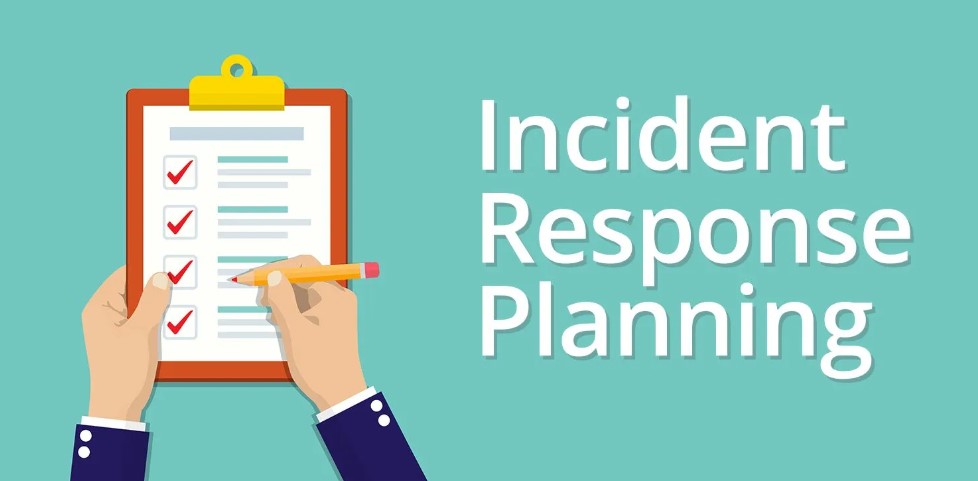
In this guide we look at Disaster Recovery Planning and explain why it is so important to business today.

Welcome to another of our user guides that takes the mystery out of IT for business owners. In this guide we explain what disaster recovery is and why it is vital to have a robust plan in place should the unexpected occur.

DRaaS Disaster Recovery as a Service

Disasters can and do happen. Cyber-attacks, natural disasters, and system failures are just a few of the uncontrollable events that could potentially harm your company. Regardless of the size of your business, a physical or technological disaster could result in a significant financial loss. However, although disasters are not always preventable, it is possible to minimise their impact.

In the event of a disaster, a recovery plan will enable you to minimise downtime and reassure your customers.

Reduce the Impact of Natural Disasters

Floods, hurricanes, blizzards, earthquakes, and other natural disasters are difficult to predict and almost impossible to control. Such disasters can result in significant downtime for businesses. You may lose access to phone lines, to customer files, and even to your office. Without a predetermined disaster recovery plan, you risk damaging the health of your company.

Human Error

People make mistakes. Unfortunately, a single error can sometimes result in the loss of data or a major product flaw. Of course, one of the best ways to minimise human error is to train your employees to a high standard. But it’s also important to be prepared by having a disaster recovery system. Putting a disaster recovery plan in place is one of the most important steps a company can take. A thorough plan ensures that you will have no unnecessary downtime after a disaster and that you will continue to have access to data.

Cyber Attack

Cybercrime in Ireland is double global levels and businesses of all sizes and in all sectors have been affected. Looking at these trends, those cyber- attacks are only going to increase in the coming years. All size businesses must assess their risks individually. It’s been shown that the chances of a smaller business having a breach is much greater and the likelihood of them making a full recovery is a lot less. Why? Because they don’t have the infrastructure in place to both protect them from attack and help them recover should such a disaster occur.

More data:
There has never been so much processing and storage of information as there is today. There is also more dependency on IT systems and therefore cybercrime has become very lucrative. The hackers know the high impact they can create on a business. It’s not just something related to the ‘computer systems going down’, it could be the business going down the drain.

An attack can mean loss of data and downtime which in turn could affect your business negatively. Losing customers, loss of revenue and damage to reputation are all scary notions.

How to Protect Having the correct processes in place to help prevent that attack is the first priority. And also having a plan in place should a disaster occur so you can recover quickly from it and ensure business continuity. Disaster Recover not only for on premise but also for the cloud environment.

A Solid Disaster Plan

Consider your business, what would happen if you lost some data? Or data was compromised? Think about what the cost to your organisation would be. Not only the loss of reputation, clients or money but the regulations in your sector could result in the closure of the business. That is why it is so important to have a plan in place when it comes to business continuity and disaster recovery.

What is Business Continuity?

These attacks can and do happen regularly. However, having a plan in place to ensure your critical business applications can continue during a disaster is the best solution.

Attacks can be man-made, natural or via cyber criminals, you need a robust plan and systems in place that offer peace of mind should the worst happen. The impact on your business of downtime and data loss can be significant and you need to be back up in hours not days. You need to have backups that are minutes old, not days old.

DNA IT Solutions work with clients to assess their risks, look at their particular challenges and needs. We then design a strategy around disaster recovery that is the right fit. We test and re-test to ensure peace of mind for all. Ensuring your business can continue after an attack, be it natural or cyber.

DNA IT Solutions will help you to create an appropriate disaster recovery system and can also help you implement it if becomes necessary. Preparing a thorough recovery plan is an investment for the future health of your business.


Cloud Security

With the growing reliance on IT infrastructure a business needs to maintain high levels of security in order to protect itself from attack.

Welcome to this introduction to cyber security awareness brought to you by DNA IT Solutions. This guide is one of a series that we hope will be useful to give you an insight into what you can do to protect your business from attack. Sharing these useful tips with your team could help protect your business.

A robust Cyber Security Plan will provide protection against theft of information, damage to equipment and prevent disruption of business services.

With smart devices becoming more common and wireless networks being used regularly certain checks and systems should be put in place to help protect a business.

A comprehensive security solution for the organisation is needed, however, this needs to run hand in hand with a well-educated user. The human can be the biggest threat to a business when it comes to maintaining security of data and access to sensitive information

Passwords

Sometimes when it comes to security it’s the simplest things are forgotten about. Having secure passwords can prevent hackers from accessing data. A secure password should contain a mixture of letters, numbers, characters and remember stronger is longer. It’s important that the same password should not be used for multiple applications.

Username and password based security alone is not adequate in many cases so that is where multi factor authentication (MFA) can provide additional safeguards. That may include pin numbers, maths equations, security questions or even biometrics or voice recognition.

Key Points

  • Long passwords are more secure
  • Do not share passwords
  • Use a mix of characters, letters, numbers
  • A different password for each access point

Emails

Email is still the preferred method of communication within the business world yet it can leave a business exposed to all sorts of issues.

Phishing is the fraudulent practice of sending emails purporting to be from reputable companies in order to induce individuals to reveal personal information, such as passwords and credit card numbers. If an email looks suspicious don’t engage with it and do not open attachments unless you were expecting them. If in doubt, phone the sender to check it before clicking and creating an issue.

Your email gateway is the best defence against email threats. Sophos offer anti-spam technologies to stop ransomware emails, while antivirus scans for and blocks email-borne threats. Blocking emails with macro attachments can help you avoid another common ransomware technique.

Key Points

  • Be cautious about attachments
  • If it looks wrong don’t click or engage
  • Don’t give personal information
  • Put suitable technology in place to protect

Mobile Protection

With remote and mobile working people are now using tablets and smartphones in the same way they used to use laptops. They are used in both personal life and now that has slipped across to work life also. It’s important to protect both the user and the device to prevent any security issues.

The first step would be to ensure anti-malware software is installed on all mobile devices and that passwords used are secure. There are many other features that can be employed such as lost device and wipe clear applications in the event of a misplaced device.

Key Points

  • More secure passwords
  • Ensure protection software is installed
  • Be mindful when using public wi-fi
  • Be extra careful to avoid loss of device

Protecting sensitive information

With the onset of GDPR is it more important than ever to ensure we have control over our data and who has access to it. Information in the wrong hands can cause untold damage to a business. Data that is stored within the organisation should have a backup in case of loss. To increase security only reputable sharing platforms should be used. Employees should not copy information to a public sharing platform that may not as secure.

Data can be encrypted to increase security so when it is moving between devices it is more secure.

Key Points

  • Use only secure sharing platforms
  • Encrypt sensitive information before sharing
  • Create a back up
  • Set authorisation access levels

Ransomware

Ransomware is a type of malicious software designed to block access to a computer system until a sum of money is paid. A ransomware attack can leave an organisation crippled with the loss of access to files and a demand for payment. Businesses both large and small are increasingly under threat and the disruption it can cause can be devastating.

The risk can be reduced by ensuring you have reputable antivirus software and a firewall. However, it is important that all updates are completed promptly. The effects may be minimised if you have good backups in place so you can access and restore information if required.

Key Points

  • Employ content scanning and filtering on your mail servers

  • Keep up-to-date with relevant patches

  • Be careful using public wireless Internet
  • Have good antivirus software and a firewall